
A voice gift for someone who is blind or has low vision
Give them the people they love, in their own voices.
Invite family and friends to share stories, laughter, appreciation, and the familiar turns of phrase that make a voice recognizable. Contributors can record from wherever they live, the organizer brings the messages together, and the recipient can listen in the way they enjoy most.
- Contributors can call from their own phones or use another current recording method
- The organizer can name, arrange, review, and download the messages
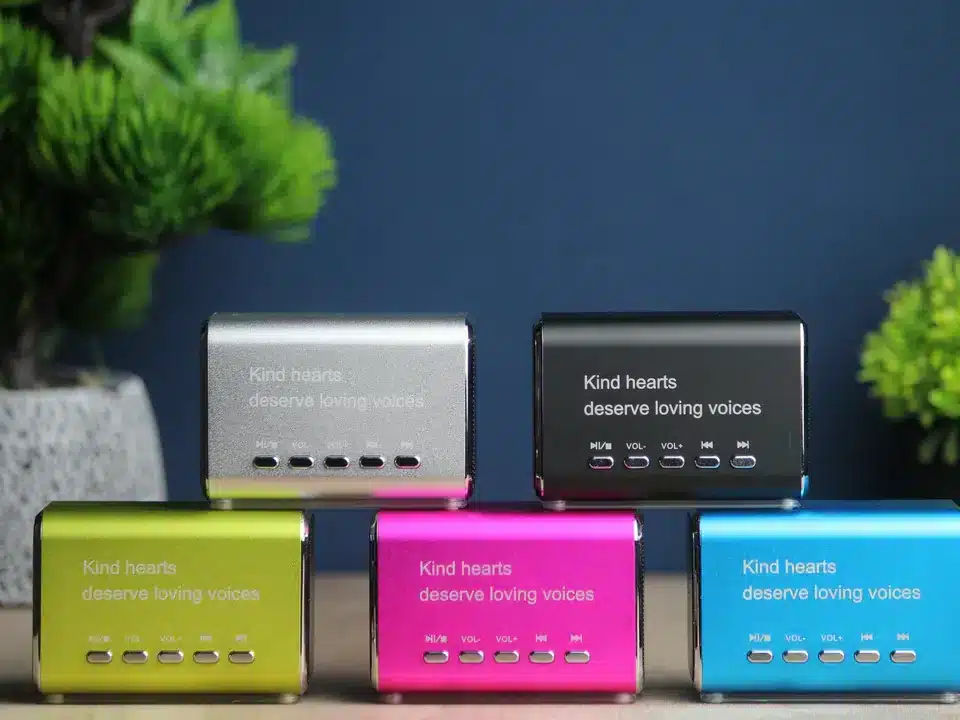
- Choose a favorite listening option, from the private Playlist Page to an optional Keepsake Speaker
Make it personal from the start.
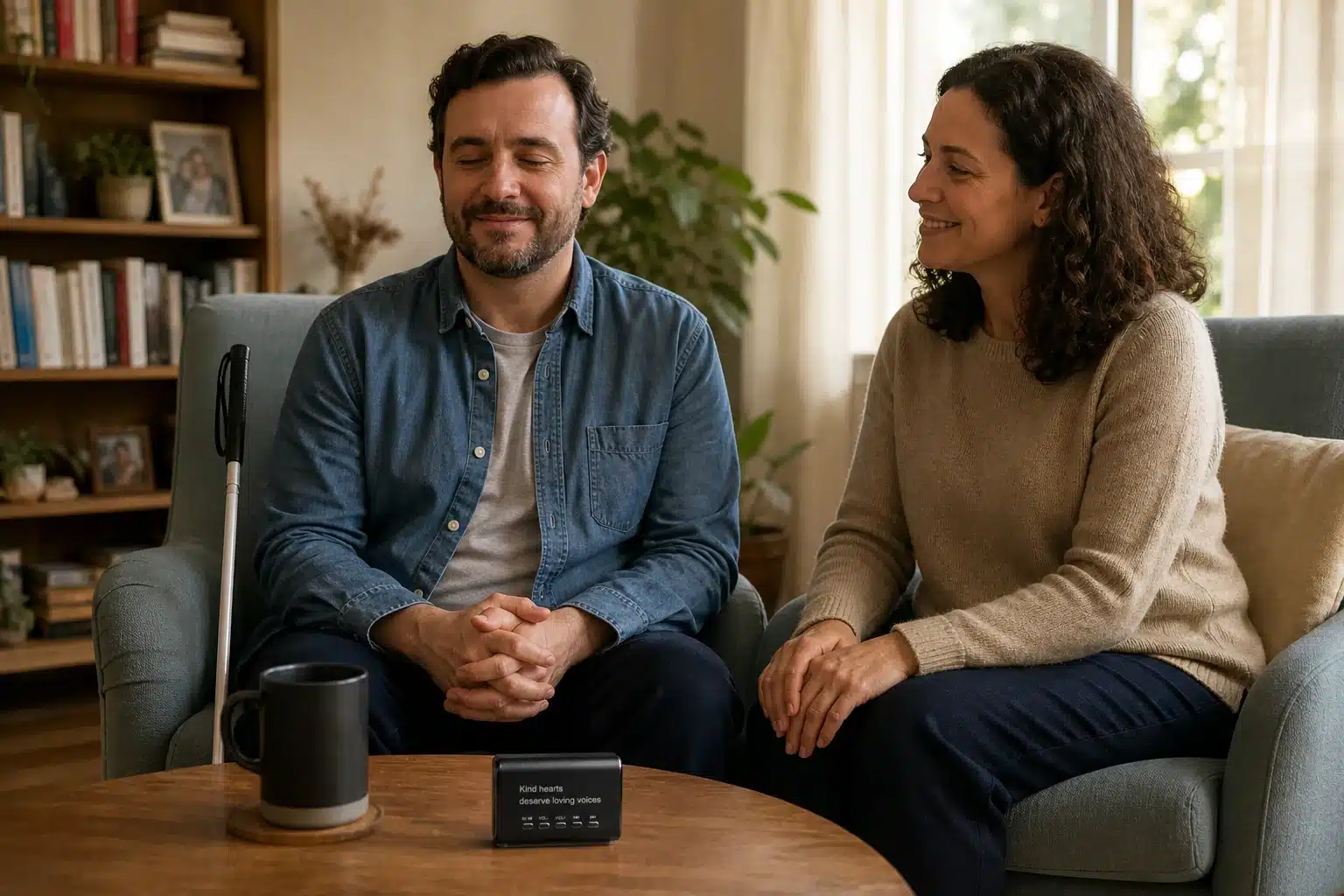
Every person has their own favorite ways to use phones, computers, audio, screen readers, physical controls, and help from people they trust. Ask what the recipient enjoys, then build the gift around them.
LifeOnRecord gives the organizer several simple ways to gather voices and share the finished playlist. Choose the contribution and listening options that will make the experience comfortable, familiar, and fun.
Everyone contributes. The organizer brings it together.
The recipient does not have to complete a memoir project or learn a creation tool. One organizer can invite the people who matter, collect their recordings, and prepare a listening order.
Invite – Ask for one specific story or message. Invite relatives, friends, neighbors, former colleagues, and community members. A simple prompt can help each person share a vivid memory, a familiar joke, thanks, encouragement, or a few true words.
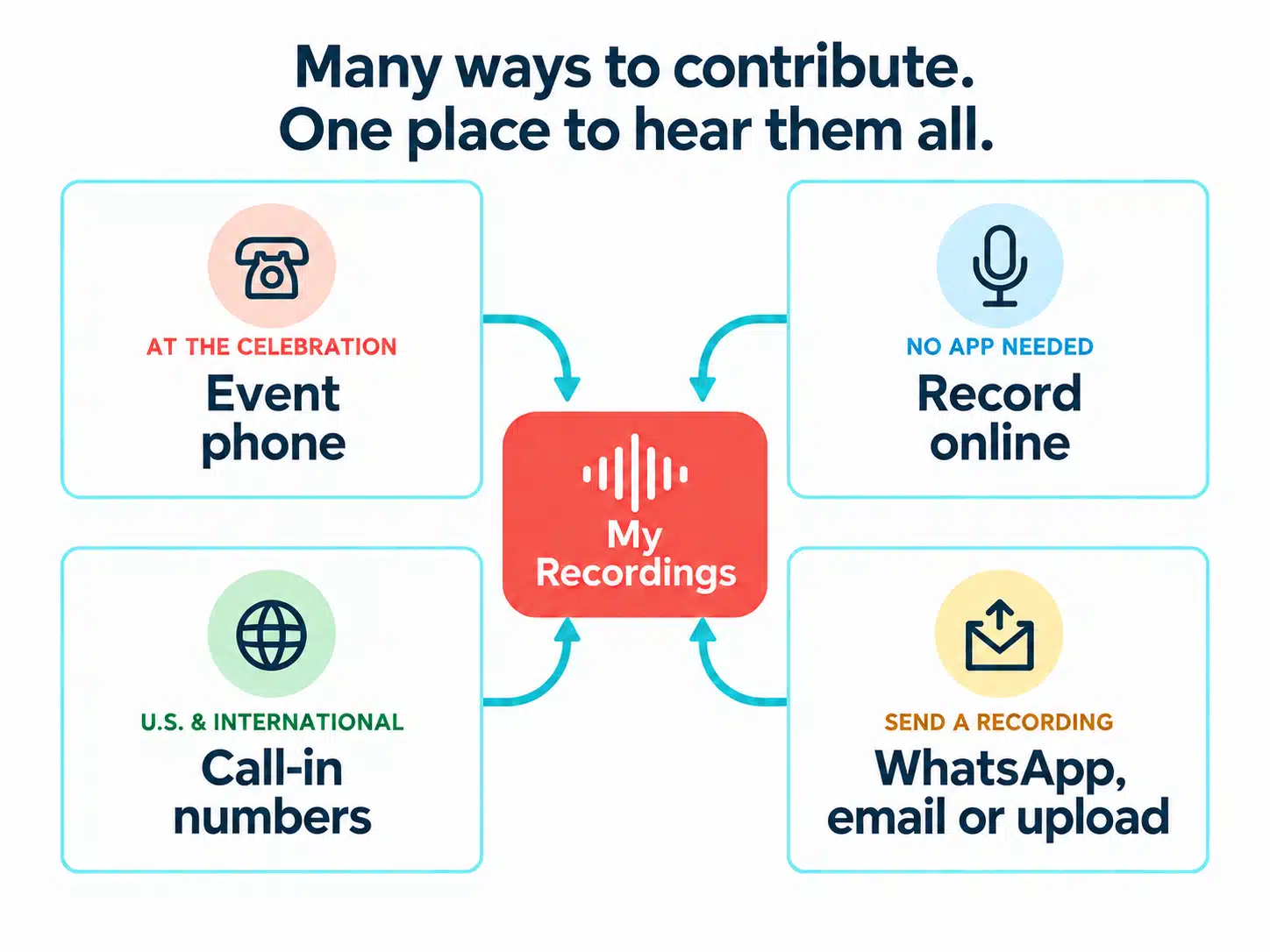
Record – Let each person use a convenient contribution method. Telephone call-in is a straightforward starting point. Current projects can also receive WhatsApp voice notes, emailed audio, and website uploads.
Share – Choose a listening arrangement the recipient will enjoy. The organizer can prepare a private Playlist Page and downloads, or add an optional Keepsake Speaker for a dedicated physical play control.
More than one straightforward way to take part.
Contributors can record from different places and the recipient can enjoy the finished gift in the way they prefer. The organizer chooses the options that fit the group.
The meaningful part is hearing people you know tell the stories only they can tell.
Contribute
Let people record from wherever they are
Contributors can call the LifeOnRecord number from their own phones and use an invitation number for the project. Other current options include WhatsApp voice notes, emailed recordings, and website uploads.
- No rented event phone is required
- People can record on their own schedule
- One project can include contributors in different places
Organize
Use one workspace to prepare the gift
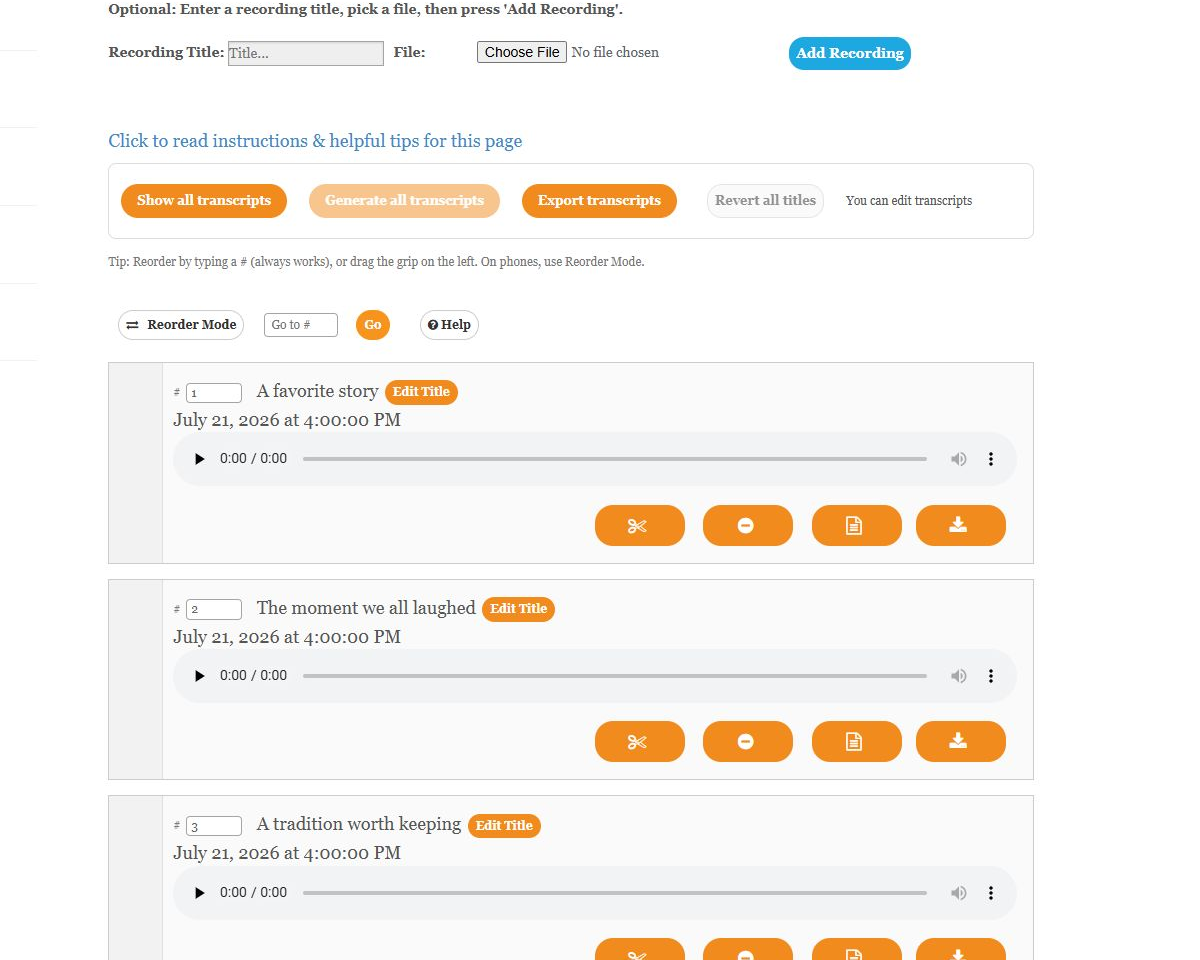
My Recordings gives the organizer a place to listen as messages arrive, add names or titles, choose an order, review transcripts, trim, restore, and download recordings.
- Call-in recordings receive human review and audio care when useful
- Original recordings remain available
- Downloads include individual MP3s, a ZIP, and a combined MP3
Listen
Choose a favorite way to listen
The private Playlist Page opens on a phone, tablet, or computer without an account login. Someone they trust can help open it, and an optional Keepsake Speaker offers a dedicated physical play control.
- Enjoy the Playlist Page on a familiar device
- Share the private link only with people you choose
- Keep downloadable copies in the formats that are useful to you
The organizer's workspace
Bring every recording together in My Recordings.
The organizer can listen as messages arrive, identify who is speaking, and decide how much arranging to do. Add names or titles, choose the order, review and edit transcripts, trim or restore recordings, and download copies. Everything stays together in one workspace while the gift takes shape.
- Search and edit transcripts, then export them as a PDF
- Download one MP3, all recordings in a ZIP, or one combined MP3
- Keep the project private within the organizing group until it is ready
The listening experience
Choose how the recipient will hear the voices.
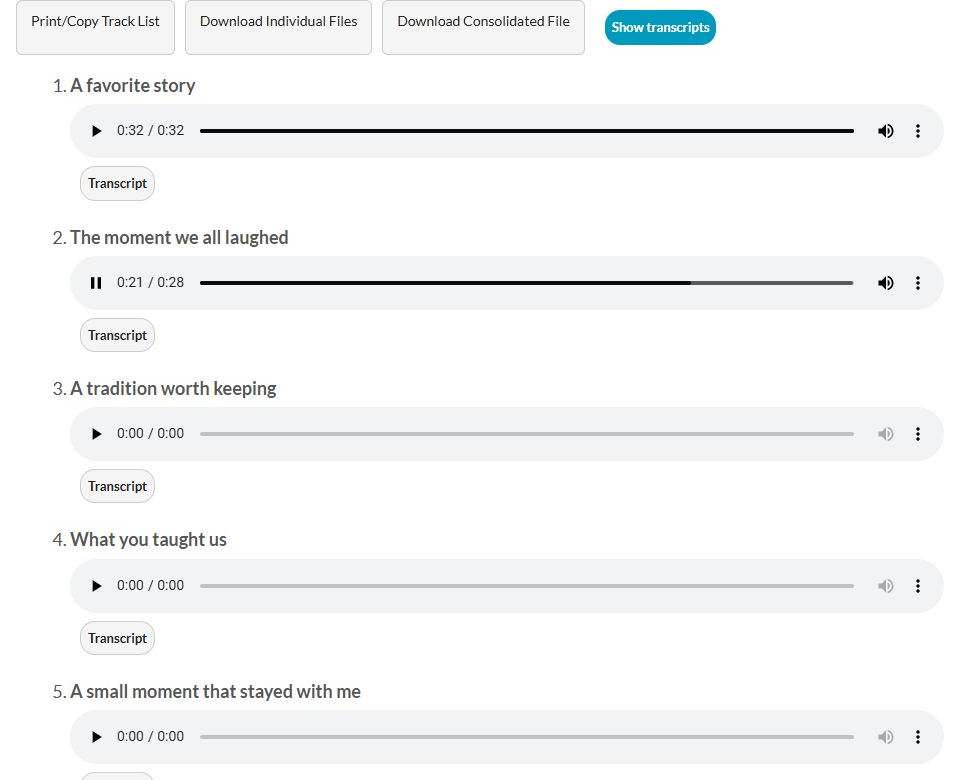
The private Playlist Page lets someone play one message or continue through the order the organizer chose. It opens without an account login or special app. The recipient can listen on a familiar device, ask someone to open the page, keep downloaded audio, or use an optional Keepsake Speaker.
- One unique, hard-to-guess Playlist Page link
- Titles, transcripts, and recording downloads are available on the page
- Playlist Page visibility can be turned off from the organizer's account
- A Keepsake Speaker is optional, not required
Common questions
Here are the practical details for creating and sharing the gift.
Is this only for someone who is completely blind?
No. It can be a meaningful gift for someone who is blind or has low vision. Ask what they enjoy and choose the contribution and listening options that fit them best.
Does the recipient have to use the website alone?
No. The recipient can open the private Playlist Page on a phone, tablet, or computer, ask someone they trust to open it, keep downloaded audio, or use an optional Keepsake Speaker.
Can the gift work with the technology the recipient already uses?
Yes. The private Playlist Page opens in a web browser without an account login or special app, and the recordings can also be downloaded as audio files. An optional Keepsake Speaker provides a dedicated physical play control.
How can family and friends contribute?
Telephone call-in is a straightforward starting point. Contributors can call from their own phones using the project's invitation number. Current projects can also receive WhatsApp voice notes, emailed recordings, and website uploads.
Do we need to rent a physical event phone?
No. Contributors can call LifeOnRecord from their own phones, and the organizer can build and share the gift remotely. An event phone rental is optional for an in-person gathering.
How private is the Playlist Page?
The page uses a unique, hard-to-guess link and does not require the listener to sign in. Anyone who has the link can open it, so share it only with people you choose. The organizer can turn Playlist Page visibility off from the account.
Can we download and keep the recordings?
Yes. While the account is active, the organizer can download individual MP3s, all recordings in a ZIP file, or one combined MP3, and can keep those downloaded copies.
What is included, and is a Keepsake Speaker required?
The $99 LifeOnRecord service includes contribution methods, My Recordings, audio care for call-in recordings, transcripts, the private Playlist Page, and downloads. The $49 Keepsake Speaker is optional. An event phone rental is also optional and priced separately.