
1) Time & Planning
- You sign-up for your LifeOnRecord account and receive your account information.
- Using your phone, you record your personal greeting (what your guests hear when they call in). This is heard both when people call the toll-free number, and will also be heard if guests use the rental vintage phone.
- You communicate your LifeOnRecord telephone number and invitation number to callers, and let people know to use the vintage phone.
- Everybody calls in.
- You notify us that you would like your keepsake created (or you download your recordings on your own).
- Your account continues to stay open for 1 year after your sign-up date, or 3 months after your event date – whichever is later.
You can create one of the most memorable keepsakes in the world in as little as 1-2 days. We’ve had people purchase LifeOnRecord one afternoon, communicate to everyone that same evening asking them to call in within the next 24 hours, and present the recordings to the recipient (or have the recordings from their wedding) the very next evening.
On the other hand, people that love to plan things ahead will sign-up months before an event. LifeOnRecord is flexible to your timeline.
If you rent a physical vintage phone from us, you do need to give us some notice, and you can usually get the phone if you order it a week ahead of time.
Here are some helpful tips if you are short on time:
- You will receive your account instructions email within just a few minutes after ordering online (if you don’t see the instructions right away, make sure to check your spam or junk folder). If you purchased the optional Communication Package, its short questionnaire is a separate step. We also provide a sample communication that you can copy and paste to send to people. That communication asks others to forward the email on, so that you can cast the net wide.
- People really don’t need that much time to call in. Just make sure you give them a deadline (we give you some helpful tips in your account instructions email).
- Even if you order a keepsake, you have access to your recordings right away, and if this is for a recipient, you can tell them the nice keepsake will arrive later. That way the recipient has something to play on their birthday or anniversary, and can still look forward to receiving a keepsake.
- If the recipient lives far away you can send them a link to a special public web page just for them that has the recordings. You can label the recordings (e.g. “Bob Smith’s Birthday Wish”), and sequence them.
- You can request the keepsake at any point within a year after ordering. For Keepsake Speakers, as long as you request the speaker by 3PM Central time, we ship it out the next business day. Vinyl albums need a longer lead time and can usually take up to 2-3 weeks to produce but around Valentine’s day and the December Holidays can take 3-4 weeks to produce. Keepsakes take 3-6 days to arrive with the free shipping option, although delivery time is not guaranteed. We also have options to ship via USPS Priority Mail (2-3 days) and Express Mail (1-2 days).
Your dial-in line—and the rest of your LifeOnRecord account—stays active for one full year after you sign up.
If you signed up more than a year before the event, we keep the line open until three months after the event date, so no recording time is lost.
During the open period you can:
- Share the number so guests can call in anytime.
- Upload recordings by other methods (see details on this page).
- Stream, download, or organize messages in My Recordings.
- Order your Keepsake Speaker or vinyl record whenever you’re ready.
Tip: Send the number out again after the event—late well-wishers and those who couldn’t attend often leave some of the most heartfelt messages.
2) Cost & Shipping
Surprisingly Affordable Options for a Priceless Experience
Our pricing is the same regardless of whether you are using LifeOnRecord as a Wedding Audio Guest Book, or whether you are presenting it as a gift for someone’s birthday, anniversary, or some other milestone event.
LifeOnRecord Service: $149 $99
This gives you everything you need to collect meaningful recordings. Friends and family will call a toll-free number and easily contribute stories and memories regardless of where they are and you can manage and listen to those recordings conveniently from anywhere. Whether people call in from their own phones, or you rent one of our vintage phones, you can control exactly how the recordings end up on your digital or physical keepsake.
Optional: Communication Package: $124 $87
This optional bundle includes tools to more effectively communicate the simple dialing instructions to friends & family.
We will provide you with a QR code that goes to a personalized web page with one-click dialing. The web page will have a welcome message from you, and friends and family won’t need to dial the number themselves – they can just tap on their phones, their phones will dial, and they will hear your introductory greeting.
We also provide you with personalized signage PDF’s that you can print out and display at your wedding or event.
Optional: Vintage or Retro Phone Rental: $349 $199 – $249
Our vintage phone will add a nostalgic touch to your event. Use it to create a vignette where guests can stop for a moment to leave messages of love and congratulations. All they need to do is pick up the handset, listen to your introductory greeting, and leave their message. Round trip shipping is included, and your recordings are copied into your online account so you can easily manage and download them if you’d like. It can be plugged into power, or your rental includes a small battery pack in case an outlet is not available.
Optional: Keepsake Speaker: $69 $49
This compact & stylish aluminum speaker packs a surprisingly loud sound for such a small package. It has a long-lasting rechargeable battery. The speaker has controls to skip forward and back through the recordings, to pause, and to control the volume. The speaker comes in five different colors. Shipping is free.
Optional: Vinyl Record: $199 $149
For an even more classic retro vibe set your needle down and play your recordings on vinyl. Your personalized album is an expertly create lathe-pressed record with a personalized jacket cover. Use your LifeOnRecord account to upload a song or two to bookend your recordings. Note that lathe-pressed records are a throwback to analog, and a re different from mass-produced pressed vinyl. They will sound good, but you shouldn’t expect the same sound quality from songs you have heard a million times on streaming services that were originally mastered for digital
Yes, if you originally purchased standard shipping, you can upgrade your shipping if you need to at the time you request the keepsake. The upgrade price takes into account the price you paid for standard shipping.
The Keepsake Speakers are created at your request. Once you determine that everyone has called in, you will fill out an online form to request that we send the keepsake. As long as you fill out the form by 3PM Central time, your packages will be shipped out the next business day (M-F).
Shipping time is based on the shipping method you select. The free shipping option is USPS First Class mail. Although shipping time is not guaranteed with First Class mail, your packages will generally arrive within a week when delivered within the United States. Overseas shipments will take longer.
You can also expedite shipping by upgrading to USPS Priority Mail (2-3 days shipping time), or FedEx 2-Day or Next Day service. FedEx service is also available internationally.
3) Recording Basics
For all of our products, the maximum time limit on the length of an individual message is 30 minutes. That is both using the service when people call in using the phone number, as well as the time limit for calls left using the rental vintage phone. We want to encourage people to leave meaningful stories and thoughts and so there are no limits on how often people can call in, or on the total number of callers or recordings.
They will hear a short introduction letting them know their comments will be recorded as part of the LifeOnRecord service. Then they will hear a personalized greeting from you, in your own words, asking them to share their favorite jokes, memories, stories – whatever you want. The personalized greeting is usually recorded by:
- The party planner for events like anniversaries, retirements, birthdays and reunions.
- The parents of the teenager going through a confirmation, Bar Mitzvah, Bat Mitzvah, or graduation.
- A friend or loved one for a funeral or on behalf of someone who is sick.
- For a wedding, the bride and/or groom or a parent, or member of the wedding party.
Those are general guidelines, but the choice is yours.
No. They can call as often and talk as long as you want. We want to make this simple for you, and we want you and your callers to use the service as much as you want to record thoughts and memories.
The US toll-free number is not accessible from countries outside the United States and Canada, but it is accessible for callers in some other countries that use Skype (as a free call).
Callers can also phone-in from other countries by dialing 847-943-2021, but they will pay a long distance charge to their local phone company. The 847-943-2021 number is a local “land line” Illinois phone number that routes directly to the LifeOnRecord service. It can be called from another country just like any other US telephone number as long as the applicable US Country codes are dialed as well.
In addition, callers can contribute in several other ways as described here.
Your privacy is our top concern, and we employ measures to ensure your information remains confidential.
- Your recordings are stored on servers in a secure environment with locked doors, surveillance cameras, and electronic monitoring. We employ encryption and password protection. The web site which you access requires a User ID and password, and the files are streamed to you over an encrypted connection.
- Nobody at LifeOnRecord will listen to your recordings without your consent. The process to create audio discs and Keepsake Speakers is automated and listening to your recordings is not required or done. We will only listen to a recorded message if it’s in the context of a specific support question you have or if we have reason to believe the terms of service are being violated.
- Neither your recordings or your other information is made available to third-parties. The only exception is that your name, address, etc. is transmitted to our credit card processors for the purposes of making payment.
- Although you can login via your social media accounts (e.g. Facebook, LinkedIn, etc.) that is only to ease ID and Password management (so you don’t have to remember another ID and Password). We do not post anything to your social media accounts.
- We will occasionally look at customers call logs if there is unusual activity to ensure that the terms of service aren’t being violated. Customer call logs consist of caller ID information and call duration – they do not consist of call recordings.
We take steps on our side to ensure your privacy, but we also want you to know that there are two areas that are under your control where you need to be cautious:
- Once files are downloaded to your computer, unless you take further measures, they are accessible by anyone that uses your computer.
- If you make yourself a CD, or have us send you a CD or Keepsake Speaker in the mail, you should secure it properly since anyone that has access to the CD can listen to it.
LifeOnRecord is available from every country on the planet, and you have many ways to contribute recordings.
Callers from the US, Canada, and the Caribbean can call toll-free: 1-800-437-3009.
If you are outside of those countries, or if you prefer not to call, use one of the options below to contribute a recording. In most cases, recordings are processed and placed into the recipient’s account within 10 minutes.
-
Send us a recording directly from WhatsApp
Visit https://lifeonrecord.com/whatsapp/ (best from a mobile device with WhatsApp installed). Enter the invitation number, then WhatsApp will open with a pre-filled message. Send that message first, then record and send your voice note. Your recording may take up to 10 minutes to be processed and included in the recipient’s account. -
Record on your computer, smart phone, or tablet and email us the recording(s)
Use the voice recorder on your iPhone, Android, or other device and email us the recording(s). We accept all major recording formats, and we will automatically convert the file and place it into the recipient’s account. Email the recording(s) to recordings@lifeonrecord.com.Important: You must type your invitation number in the email subject line with nothing else (for example: 12345). Do not include any other words or symbols in the subject line. Attach the file and press send. You will receive an email confirmation within about 15 minutes.
-
Upload your recording(s) to our web site
Visit the Recording Contribution page, enter your invitation number, enter a title for the recording (optional), and upload your recording. -
Use one of our “local” global numbers
Callers can dial one of the local country phone numbers listed below, which route directly to LifeOnRecord.Country If you were asked to call and leave a recording Argentina +54 351 568 5712 Australia +61 2 8880 0488 Austria +43 72 096 3914 Belgium +32 78 48 03 46 Brazil +55 (21) 4040-4374 Canada 1 (800) 437-3009 Caribbean 1 (800) 437-3009 Chile +56 32 314 0886 Czech Republic +420 226 258 126 Denmark +45 78 77 43 10 Ireland +353 (76) 604 2714 Israel +972 (2) 560 9388 Mexico +52 (55) 4170 8548 Netherlands +31 20 894 25 34 New Zealand +64 9 951 5828 Norway +47 21 98 88 46 Peru +511 641 9276 Poland +48 22 490 69 02 Romania +40 (31) 810 77 18 Spain +34 931 770 598 South Africa +27 (10) 5001858 Sweden +46 8-121 111 38 Switzerland +41 22 508 71 56 United Kingdom +44 20 3582 4356 United States 1 (800) 437-3009 -
Call us long distance
You can call us long distance at 847-943-2021 from your country. Please note that unlike the options above, this is not a free option and your local phone company may charge long-distance fees. Although we are not affiliated, this site provides guidance on how to dial from one country to another:
https://www.howtocallabroad.com/
My Recordings is your place to listen to the voices you have collected, arrange them, and choose how you want to enjoy them. You can listen and download without editing your recordings or purchasing a keepsake.
Sign in to My Account and open My Recordings for the event you want. The links at the top of the page take you to Listen & organize, Download, Your keepsakes, or Share.
Prefer to watch? Try the short, silent demonstrations for downloading a combined MP3 and organizing, Trash, and restore. You can also follow the written instructions below.
Select the heading and chevron to open Transcription Tools, Add recordings from your device, or Trash & Restore. Small ? buttons explain less familiar controls; select them or focus them with your keyboard.
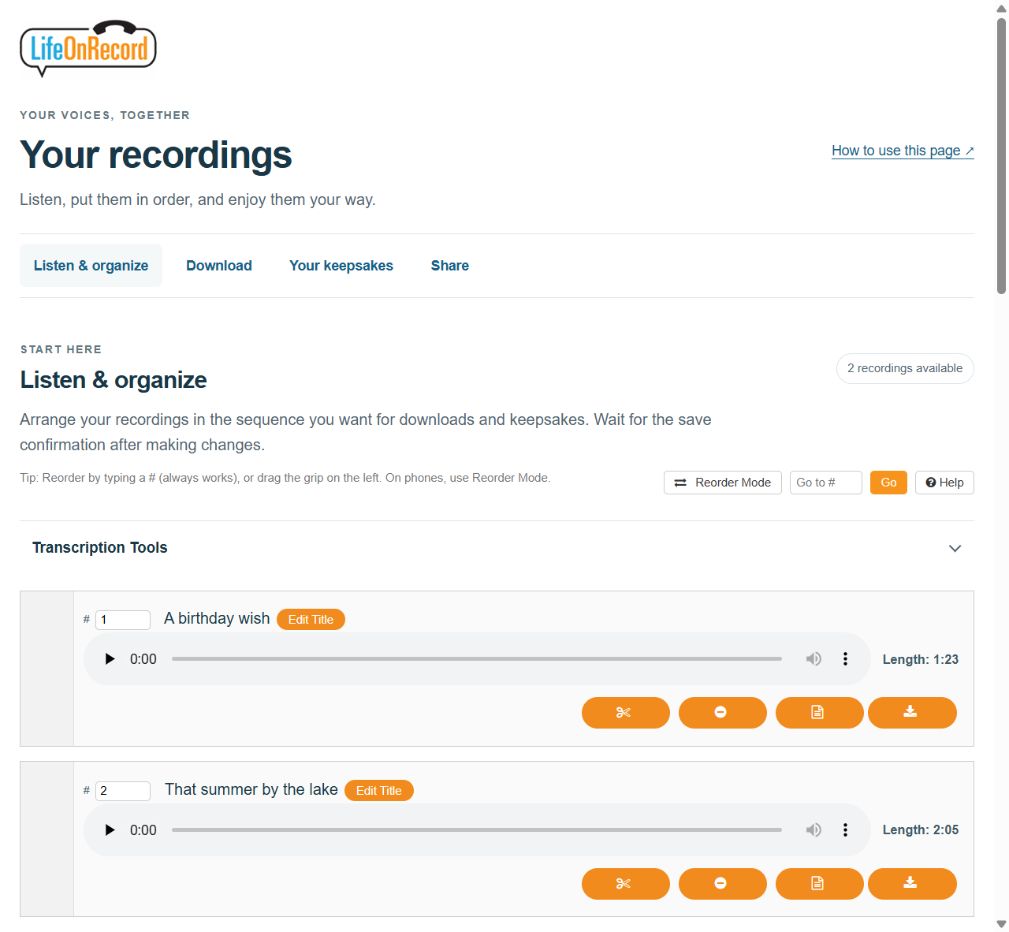
Listen and arrange your recordings
The Length beside each player shows how long the recording is before you press Play. Press Play to listen. Use Edit Title to change its displayed title, then select Save Title.
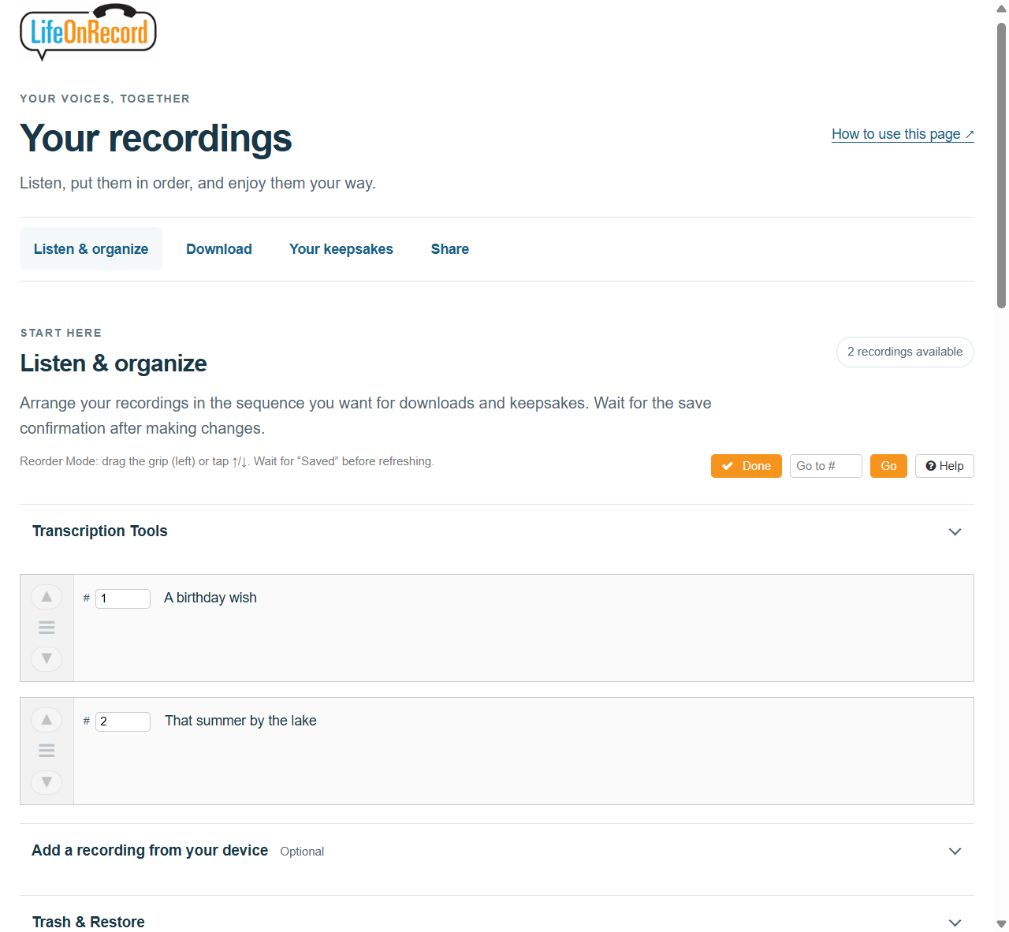
To change the order, turn on Reorder Mode. Use the Up and Down controls, drag the grip, or enter the recording’s new position in its track-number box. On a phone, the Up and Down controls are often easiest.
Wait for Saved after changing the order before refreshing or leaving the page. The sequence you choose is used for downloads and keepsakes. Go to # lets you jump to a recording in a long list.
Do not want a recording in your selection? Select its Move to Trash control (the minus-circle icon), then confirm with OK. To bring it back, open Trash & Restore and select Restore.
47 seconds. Captions are included. Press Play to start; pause or go full screen whenever you like.
Read the demonstration steps
- Select Reorder Mode. Use the arrow controls to arrange your recordings.
- Use the Up arrow to move this recording. Up and Down work on a phone or a computer.
- Wait for Saved, then select Done. Downloads and keepsakes follow your saved sequence.
- Select Move to Trash to leave out a recording. You can bring it back from Trash later.
- Confirm with OK to move it to Trash. Choose Cancel if you want to keep it in the active list.
- Open Trash & Restore below the list. Recordings in Trash are left out of downloads and keepsakes.
- Select Restore beside the recording. You will be asked to confirm.
- Confirm with OK to bring it back. The recording returns to the end of the active list.
- Wait for Saved and check the sequence. Use Reorder Mode again if you want to move it.
Waiting for recordings from a rented phone? Call-in recordings may already be visible. Recordings stored on your vintage or retro phone appear after we receive the phone back and process them. The phone’s arrival and its recordings becoming available are separate steps.
You can find your recording count and total listening time together beside Listen & organize, or just below the heading on a phone. The total includes all active recordings, even when you search or filter the list.
Find the message you want
Under Find a recording, enter a name or words, then select Search or press Enter. To search the words inside your existing transcriptions as well, check Include transcriptions before searching. The list changes when you run the search, so you can finish typing first. Choose Not yet listened or Favorites from the Show menu to narrow the list. When Review before publishing is on, you can also choose Awaiting approval.
Searching and filtering do not change your saved sequence. Select Clear filters before moving recordings into new positions.
Listen through your recordings
Select Listen through recordings to start with the first recording currently shown. Use Previous and Next to move through that list. Leave Play next automatically checked for continuous listening, or clear it to stop after each recording. Resume listening returns you to your saved listening place.
A recording is marked as listened when it reaches the end. You can also select Mark as listened, or use Listened · mark as new to put it back in your Not yet listened list. These listening choices do not approve a recording for public sharing.
Sections such as Transcription Tools, Add recordings from your device, and Trash & Restore have an arrow and Show beside the heading. Select anywhere on the heading to open it; select it again to hide the section. You can also use Tab to reach the heading and Enter or Space to open it.
Keep favorites and bookmark a moment
Select Favorite beside a message you want to find again. Select the arrow or My bookmarks – Show heading while listening, add an optional label, and select Bookmark this moment. Select a saved timestamp to return to that moment.
Favorites, bookmarks, and listening progress are private to your account login. Changing a title or sequence keeps them. They stay saved when your recordings are archived and restored. Return with the same account login to use them again. Editing the audio or restoring a recording from Trash resets its bookmarks, listened status, and listening place, while keeping its favorite status. Your audio downloads contain the recordings; these personal settings stay in your LifeOnRecord account.
Download the format you want
First, check the sequence of your recordings and wait for any changes to save. Recordings in Trash are left out.
| What you want | What to choose |
|---|---|
| One recording | Use that recording’s Download control in the list. |
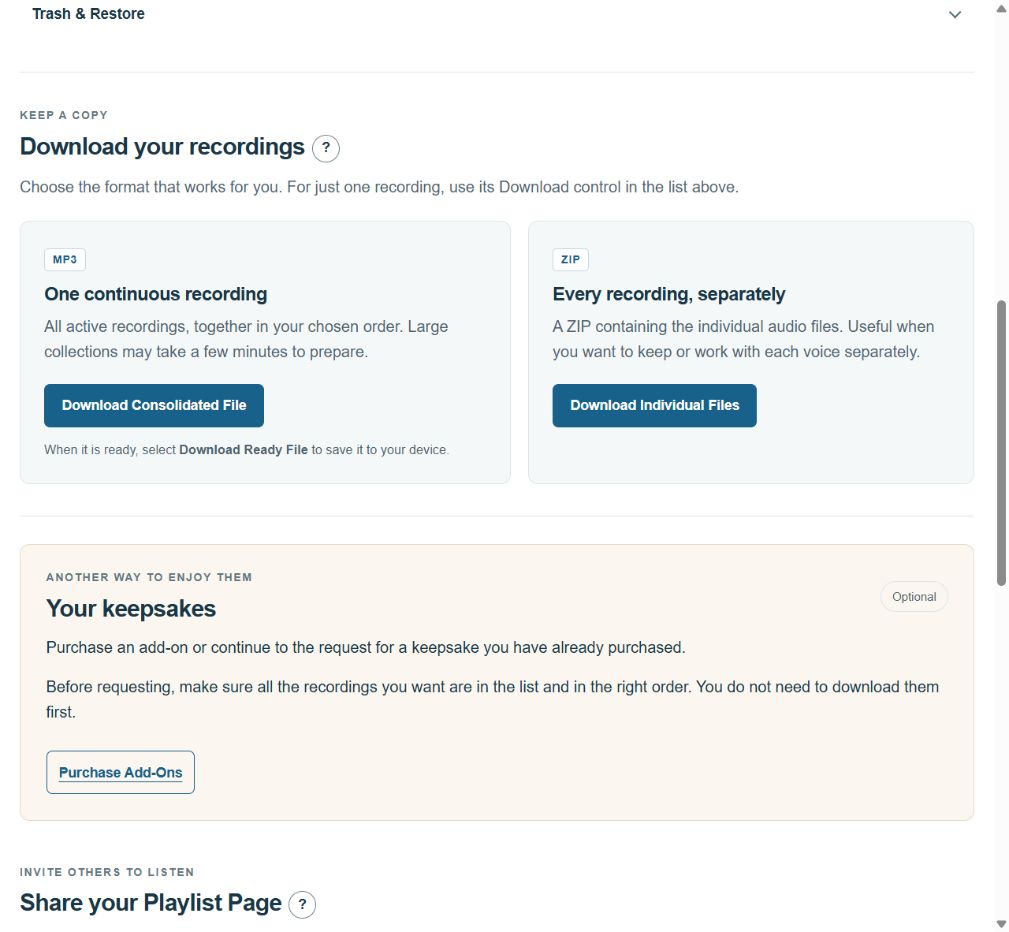
| All recordings as separate files | In the Download section, select Download Individual Files. Your device receives a ZIP containing the individual audio files. |
| One continuous recording | Select Download Consolidated File. When preparation finishes, select Download Ready File to save the combined MP3. |
A combined file needs time to prepare. A large collection may take a few minutes. Keep the page open and watch the preparation message. Preparation does not automatically download the file: when the button says Download Ready File, select it.
34 seconds. Captions are included. Press Play to start; pause or go full screen whenever you like.
Read the demonstration steps
- Check your recording sequence, then open Download. Your combined MP3 follows that sequence.
- Select Download Consolidated File. This first click prepares the file.
- Keep the page open while the file prepares. This wait is shortened. A large collection may take a few minutes.
- Look for Download Ready File. The file is ready, but it still needs to be downloaded.
- Select Download Ready File to save the MP3. This second click starts the download to your device.
- Check your device's downloads for the MP3. You can return to your recordings when you are ready.
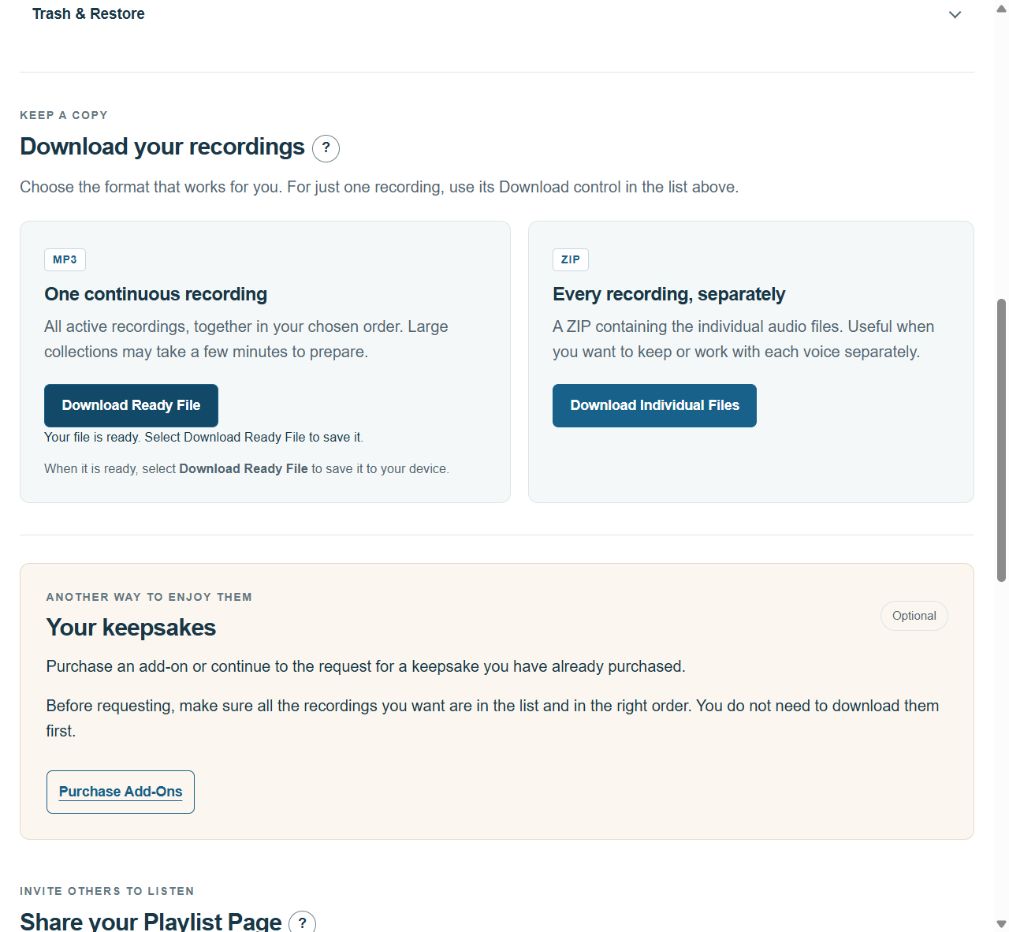
If preparation reports a problem, follow the displayed retry instruction. If it keeps failing, contact support with your order number and the message you see. Do not remove recordings merely to make the download smaller.
Download just the recordings you choose
- In Listen & organize, select Select recordings to download.
- Check the recordings you want, or use Select shown after searching or filtering. The selected count tells you if any selected recordings are hidden by your filters.
- Choose Selected recordings as ZIP for separate audio files, or Selected recordings as one MP3 to join them.
- When preparation finishes, select Download selected file. If you leave the page, return using the same browser to check the saved download.
Selected downloads follow your saved recording sequence. They do not change your full collection or what goes into your keepsake. You can choose up to 500 recordings and 2 GB at a time. Prepared selections are available for 24 hours; if you edit the selected recordings, prepare a fresh download.
Add recordings from your device
- Expand Add recordings from your device below the recording list.
- Choose one or more audio files, up to 100 at a time. Each file must be smaller than 18 MB. Common formats such as MP3, M4A, WAV, and OGG are supported.
- Check the titles shown beside the files and make any changes you want.
- Select Add recordings and keep the page open. Each file shows its own upload and processing progress.
- If a file needs another attempt, use its Retry button. A retry checks the same file without adding a second copy. If you closed the page, choose the original files again in the same browser to continue the batch.
- Select Refresh recordings when the uploads finish, then arrange the new recordings and wait for the save confirmation.
Use Start another batch when you want to begin a separate upload. Keep your original files until the recordings are added successfully. Uploading is available while the account is receiving recordings; restored access is for recordings already in the account.
Recordings already in My Recordings do not need to be uploaded again. To supply vinyl cover text or a purchased cover photograph, use Send me my Keepsake(s) in Your keepsakes and complete that request form.
Read transcripts or make an audio edit
Available transcripts open automatically in My Recordings and on your Playlist Page, unless you have chosen to hide them. Your shared page shows transcript controls only where text is available. Use Hide all transcripts or Show all transcripts in My Recordings, or Hide transcripts or Show transcripts on the Playlist Page. Your browser remembers that display choice. A recording’s Transcript control opens or closes just its text.
You can use Edit to correct transcript text and save it, or Copy to use it elsewhere. Under Transcription Tools, you can generate missing transcripts when that action is available and use Export transcripts for a document you can print or save. New phone recordings, including the Introductory Greeting, are transcribed automatically after processing. Guest recordings receive a suggested title when a transcript is available. The Introductory Greeting keeps its title, and any titles or transcripts you have edited are kept. Showing a transcript does not generate a new one. To keep transcripts off your shared page, set Public playlist transcripts to Off in the sharing section; an existing Off choice stays Off.
To shorten a recording or adjust its saved volume, open Trim & Amplify on a laptop or desktop:
- Select the part of the waveform you want to keep. Adjust the selection handles if needed.
- Use Preview to listen to the selection. Adjust Gain (dB) if you want the saved audio louder or quieter.
- Select Apply only when you are happy with the result, and wait for the completion message.
Reset clears an unsaved selection. Undo returns to the previous saved version. Restore Original returns to the unedited recording. Closing the editor does not undo changes you already applied. For Keepsake Speakers, leave about one second of silence at the beginning and end when trimming.
Your player’s volume control only changes playback on your device; it does not change the saved recording. If trimming is unavailable on your phone or tablet, switch to a laptop or desktop.
Purchase a keepsake or request one you have purchased
A Speaker or vinyl record is an optional way to enjoy your recordings. Purchasing a keepsake and requesting its preparation are separate steps.
To buy an add-on, use Purchase Add-Ons in Your keepsakes. If you have already purchased one, wait until all the recordings you want are present, put them in order, and move any unwanted recordings to Trash.
When you are ready, select Send me my Keepsake(s) and complete the request form, including your choices and shipping-address confirmation. Opening the form does not submit it. You do not need to download your recordings first.
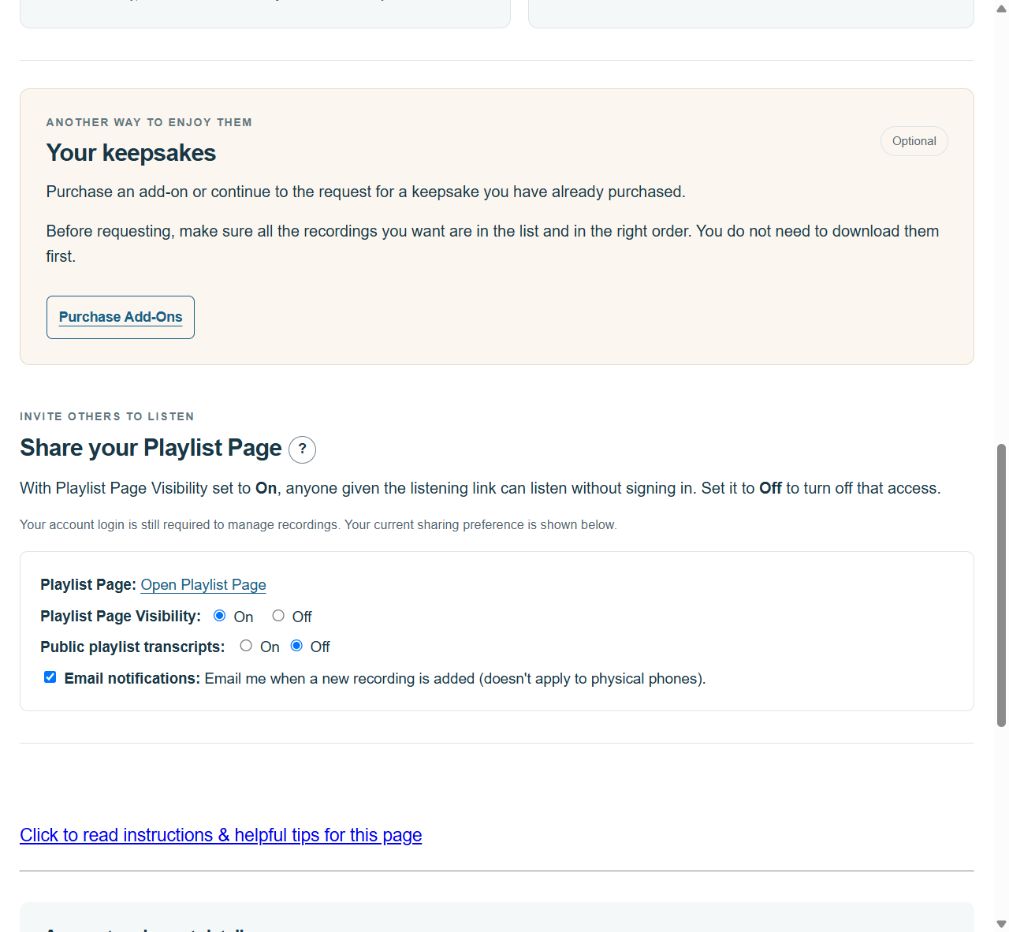
After submitting a keepsake request, check for confirmation on the page. We will confirm shipment separately. If you are unsure whether your request went through, contact support before submitting it again. For vinyl, use that same request form to enter the text you want on the album cover and upload a photograph if you purchased the cover-photo option.
Vinyl has a 40-minute total capacity, with approximately 20 minutes on each side. If your selection is longer, contact support for help choosing a shorter selection or discussing another album. A Keepsake Speaker does not have that recording-length limit.
Before requesting a keepsake, check your titles and recording sequence, then listen to the opening and ending. Your keepsake uses all active recordings in their saved sequence.
Let family and friends listen
In Share, select your Playlist Page link to open the page your listeners will use. Your Playlist Page starts On. Arrange your recordings, then send its link when you are ready for others to listen.
Set Playlist Page Visibility to Off if you want to close the page, or On to let people with the link listen.
Choose what appears on your Public Playlist
Review before publishing is optional and starts off. Leave it off if you want recordings to appear as usual. Turn it on if you want to check each message before others can hear it.
- In Share, turn on Review before publishing. The first time, all existing recordings will wait for approval. New recordings will also wait.
- Listen in your recording list, then select Approve for Public Playlist beside the recordings you want to share. To approve several together, select them and choose Approve selected recordings. Select pending recordings selects those still waiting.
- Check the awaiting-approval count. Your own recordings and downloads remain available to you while you review.
When reviewing a listening list, Approve and play next saves the current recording’s approval before starting the next one. If approval cannot be saved, playback does not advance.
You can review while Playlist Page Visibility is Off. Approval does not turn your playlist On. When sharing is On, public listening, transcripts, and downloads include only approved recordings.
Changing a title or sequence keeps approval. Editing the audio, replacing a recording, or restoring it from Trash means it needs approval again. Use Withdraw approval to take a recording off the public playlist while keeping it in your account.
Turning review off can make unapproved recordings public; confirm only if that is what you want. Earlier decisions are remembered if you turn review back on.
Account and event details
Look in Account and event details for your invitation number, event information, receiving-message end date, and the availability of your saved recordings. Phone shipment and return details appear when they apply to your account.
The period for receiving new messages is separate from access to recordings you already have. During a restoration, Restored access ends shows the date and time your temporary access ends.
Restore archived recordings free for 30 days
If your account has expired and recordings are available to recover, open My Recordings and select Restore my recordings. Most restorations are ready within 10 minutes. You can leave the page; we will email you when yours are ready.
- Your 30 days begin when restoration finishes. You can listen, edit, arrange, and download your existing recordings.
- The page shows progress. If retrieval takes longer, it will say so while your recordings are retrieved and checked.
- Incoming recordings, the dial-in service, and public sharing stay closed.
- Another click during the same access window keeps the existing end date.
- We will email a reminder three days before the recordings are archived again. Save any copies you want on your own device before access ends.
- After re-archiving finishes, you can restore your recordings again free for another 30 days.
If the account is cancelled, refunded, or has a payment restriction, contact support about access. Restoration does not change those restrictions.
Get help
Communication Package materials depend on the optional package purchased for your order. Renting a phone alone does not include that paid package.
If a change has not saved, keep the page open and check for its save or error message. If a file has not appeared after an upload, check the upload result before trying again. For a problem you cannot resolve, email support@lifeonrecord.com with your order number, what you were trying to do, and the message shown on the page.
If you are the coordinator, and you don’t live in North America or the Caribbean, please follow these instructions to leave your introductory greeting.
- Use one of the 3 methods below to call LifeOnRecord.
- When asked to enter an invitation number, enter 00100 (this will route you to the Step 1 prompts).
- You will hear the “Welcome to LifeOnRecord prompt” again and you will be asked again to enter an invitation number – this time enter your actual invitation number.
- You will be prompted to enter your password.
- Record your introductory greeting and then press the # key.
- You’ll hear your greeting repeated back to you. If you like it, press “1” to accept it, otherwise press “2” to re-record your greeting.
- Use one of our “local” global numbers. Callers can dial one of the local country phone numbers listed below which route directly to LifeOnRecord.
| Country | If you were asked to call and leave a recording |
| Argentina | +54 351 568 5712 |
| Australia | +61 2 8880 0488 |
| Austria | +43 72 096 3914 |
| Belgium | +32 78 48 03 46 |
| Brazil | +55 (21) 4040-4374 |
| Canada | 1 (800) 437-3009 |
| Caribbean | 1 (800) 437-3009 |
| Chile | +56 32 314 0886 |
| Czech Republic | +420 226 258 126 |
| Denmark | +45 78 77 43 10 |
| Ireland | +353 (81) 888 2240 |
| Israel | +972 (2) 560 9388 |
| Mexico | +52 (55) 4170 8548 |
| Netherlands | +31 20 894 25 34 |
| New Zealand | +64 9 951 5828 |
| Peru | +511 641 9276 |
| Poland | +48 22 490 69 02 |
| Romania | +40 (31) 810 77 18 |
| Spain | +34 931 770 598 |
| South Africa | +27 (10) 5001858 |
| Sweden | +46 8-121 111 38 |
| Switzerland | +41 22 508 71 56 |
| United Kingdom | +44 20 3582 4356 |
| United States | 1 (800) 437-3009 |
2. Call us Long Distance
Finally, you could call us long-distance. You would call us at 847-943-2021 from your country. Please note, that unlike the six options above, this is not a free option, and your local phone company may charge you long-distance charges. Although we are not affiliated, this site provides guidance on how to dial from one country to another.
Your introductory greeting is the message guests hear first, whether they call into your account or, if you added a physical phone, when they lift the handset.
We use one greeting for both experiences, so the same message plays in both places. Record or upload your greeting before we prepare and ship your phone so it arrives with your greeting already loaded. Loading it yourself with a computer is a last resort. Follow the post-shipment instructions. Updating the online greeting after shipment does not automatically update the physical phone.
Most people find it easiest to record the greeting by calling in. You can find those instructions in Step 1 here: https://lifeonrecord.com/accinfo/
Want to record the greeting with someone who is not with you, such as a fiancé(e)? You can do that with a 3-way call:
- Call the other person first.
- Add the LifeOnRecord number as the second call.
- Merge the calls.
- iPhone: While you are on the first call, tap More, then Add People. Call the LifeOnRecord number, then tap Merge. (Apple Support)
- Android: The exact wording varies a little by phone, but it is usually Add call, then call the LifeOnRecord number, then tap Merge or Call merge.
- Once the calls are merged, follow the same Step 1 call-in instructions to record your greeting together.
If you would rather upload a recording, you can do that here.
4) Phones & Keepsakes
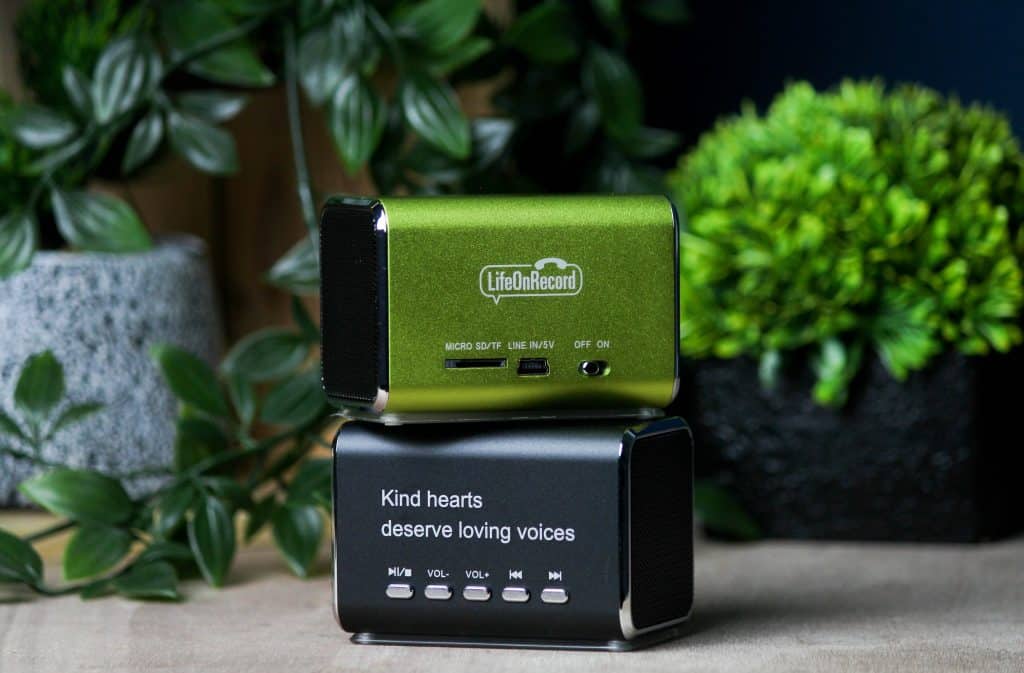
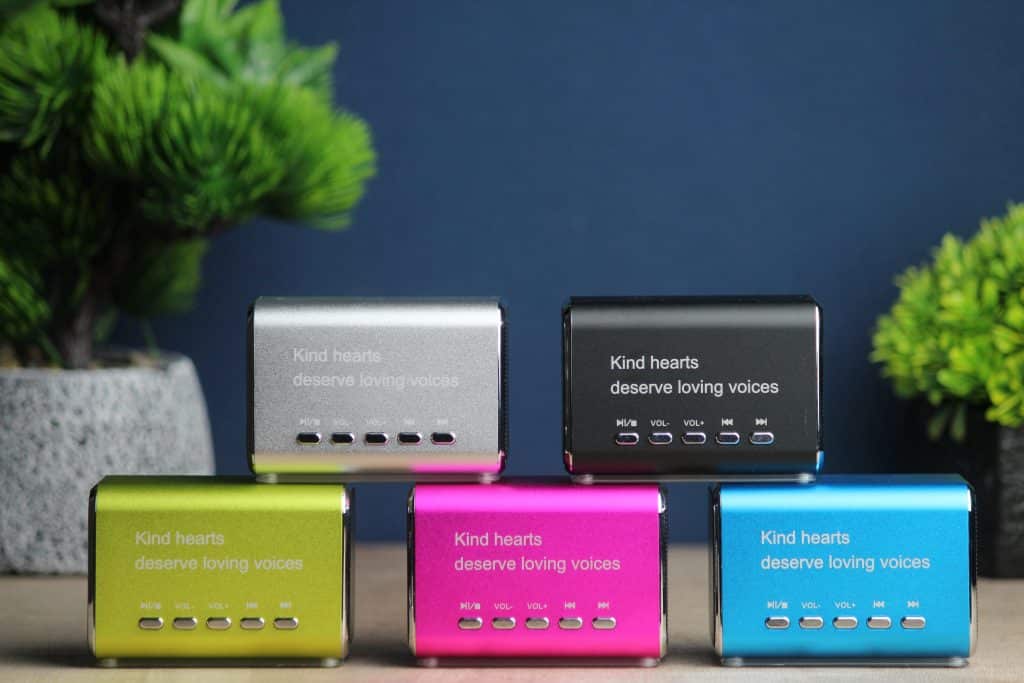
A LifeOnRecord Keepsake Speaker plays all your recordings without needing a computer, phone, or any other electronic device.
This is a compact, (2 inch, by 2 inch, by 3 inch), stylish aluminum speaker that packs a surprisingly loud sound for such a small package. It has a long-lasting rechargeable battery that lasts through about 10 hours of constant playing.
The speaker has controls to skip forward and back through the recordings, to pause the recordings, and to control the volume. The speaker comes in five different colors.
The speaker, memory card with recorded voices, charging cable, and AC adapter is $49. Shipping is free.
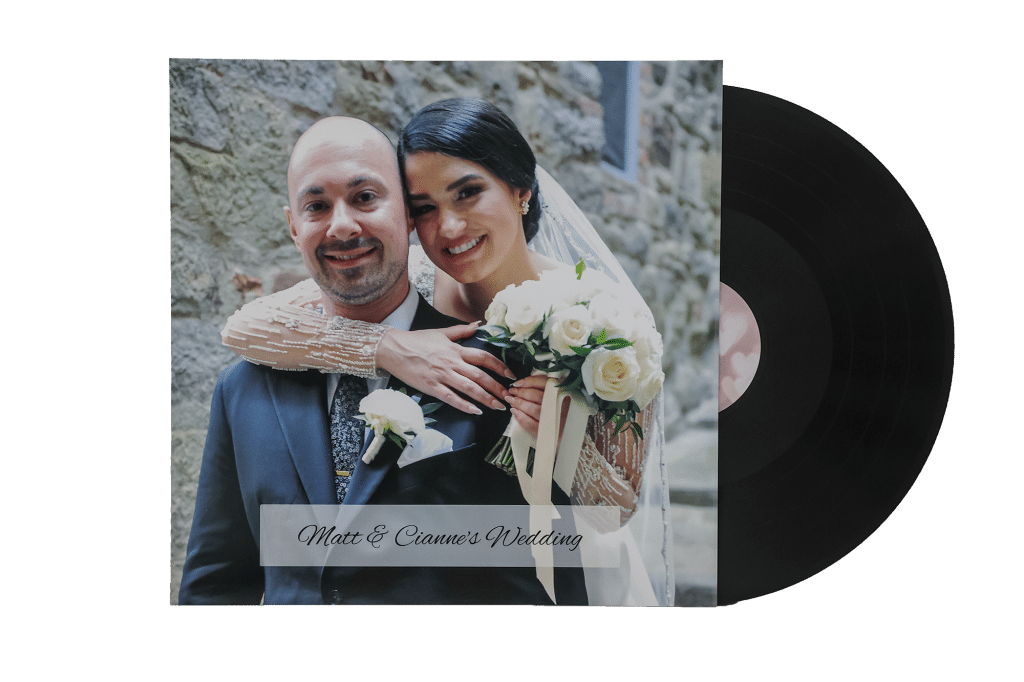
A custom 12″ black vinyl record that plays at 33rpm produced on modern equipment. The record holds up to 20 minutes of recordings and music on a side – up to 40 total minutes per album.
If you have more than that, we can put them on additional records, or you can choose your top recordings – we will contact you with options. You have the option of a full-color glossy print cover with your choice of artwork or photos on the front and back sleeve, otherwise we will personalize with your name and date, or some other personalized text of your choice.
You can upload music into your account to be included on the record, however please note that most music you are familiar with was mastered for digital play (MP3’s and streaming) and we are reproducing those songs through a physical process onto a new analog medium (you would master a song for digital and analog differently). Basically, if you have a favorite song that you have heard a million times, you’ll recognize the sound is a little different on a lathe record and you should not expect a perfect reproduction of the song on the record.
The record will come with a poly-lined protective inner sleeve, and a protective poly plastic outer sleeve.
Production time varies based on the time of year, but averages 1-2 weeks.
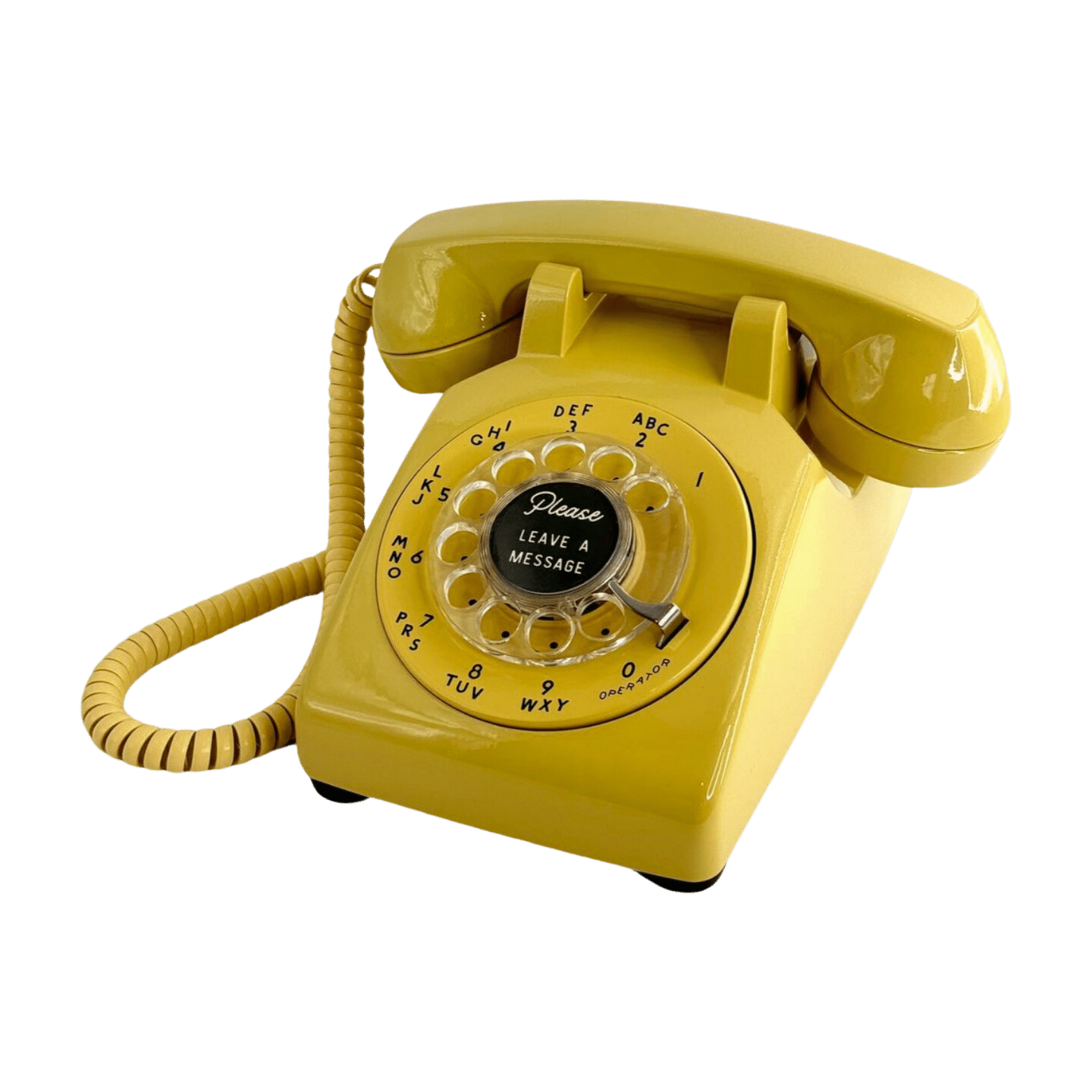
We offer two major kinds of phones – authentic vintage rotary phones that are 40 or more years old, and working reproductions of phones from 1940 and earlier.
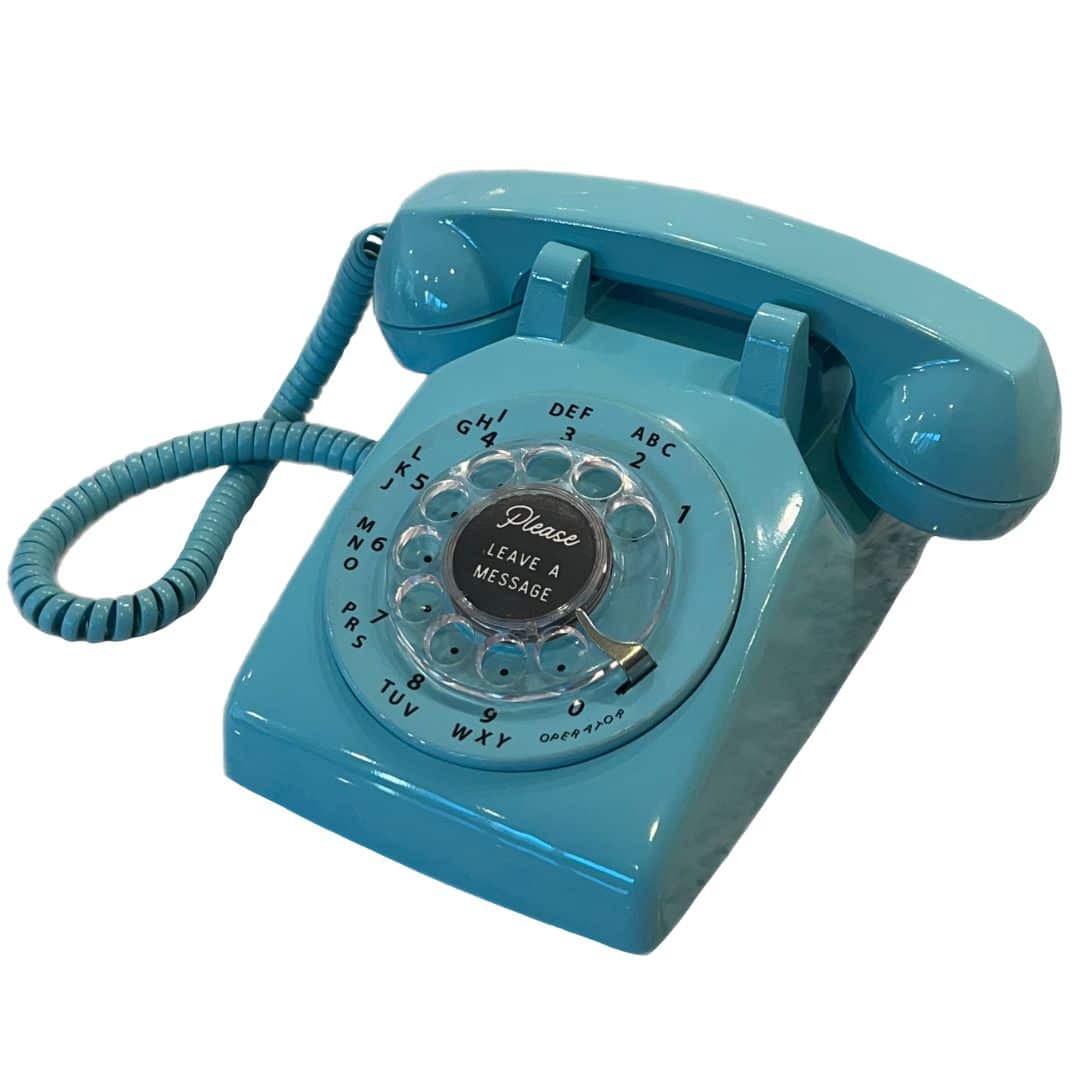
For the vintage phones, these are the legendary Western Electric model 500. AT&T rented these to its customers, and they were known for their ruggedness and timeless style. The phone we will send you was a working phone that has been painstakingly re-painted if necessary, had the microphone replaced, buffed, had the cords replaced, and basically brought back to like new condition. We then wire the inside of the phone so that your friends and family can pick up the receiver, hear your message, and leave you a voicemail.
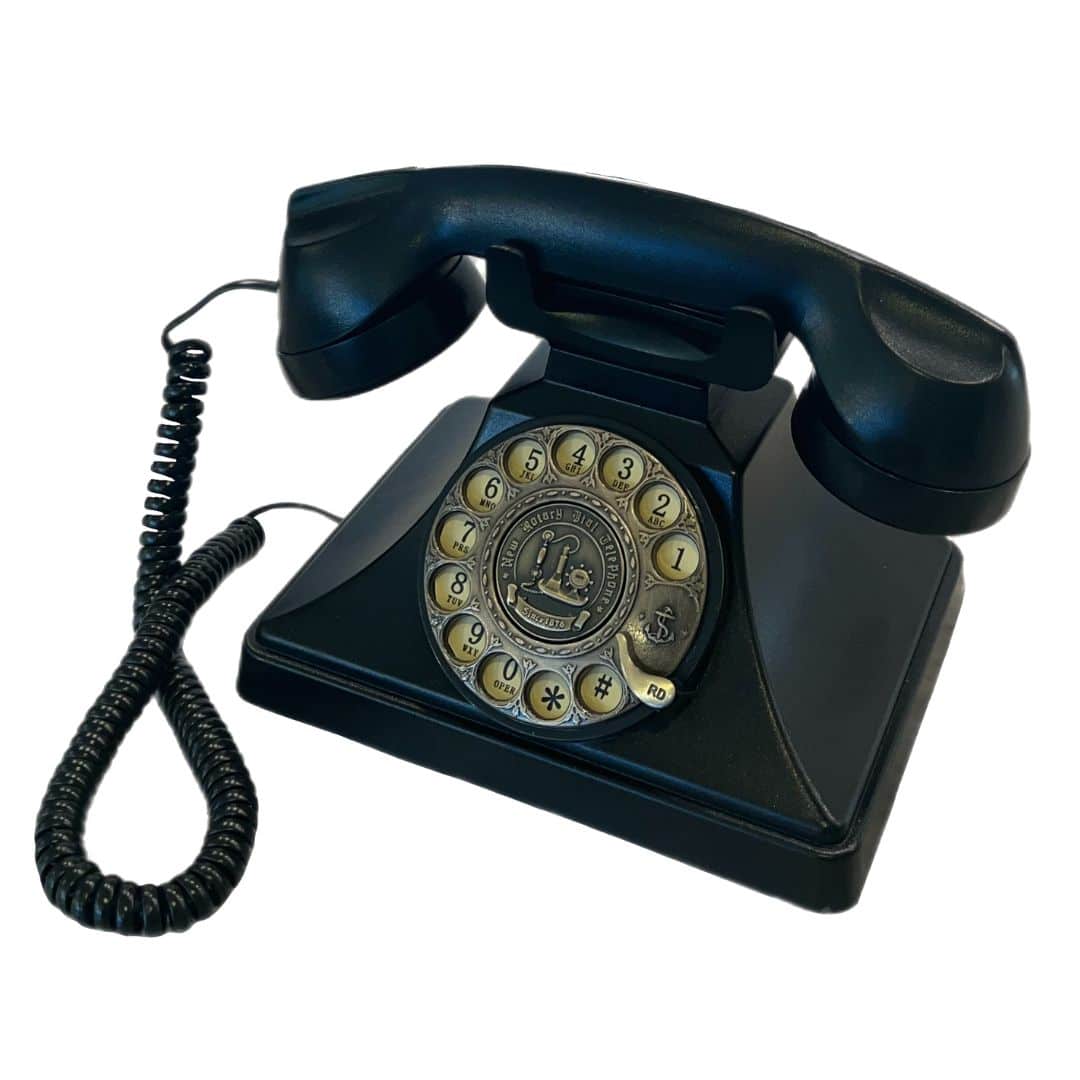
The retro phones were also fully-functional rotary phones. Although they were more recently manufactured they have an old-world look and charm. They are usually made of brass and wood, and mimic the designs of the early 1900’s and late 1800’s.
The phones can either be plugged into an outlet, or if one is not available, your rental includes a small battery pack with three replaceable AA batteries which will power the phone for 12 hours.
To use the phone, guests just lift the handset, listen to your introductory greeting, and leave their recording. They do not need to dial the phone, and the phone does not need to be connected to a phone line.
Brass & Wood Rotary Phone – $199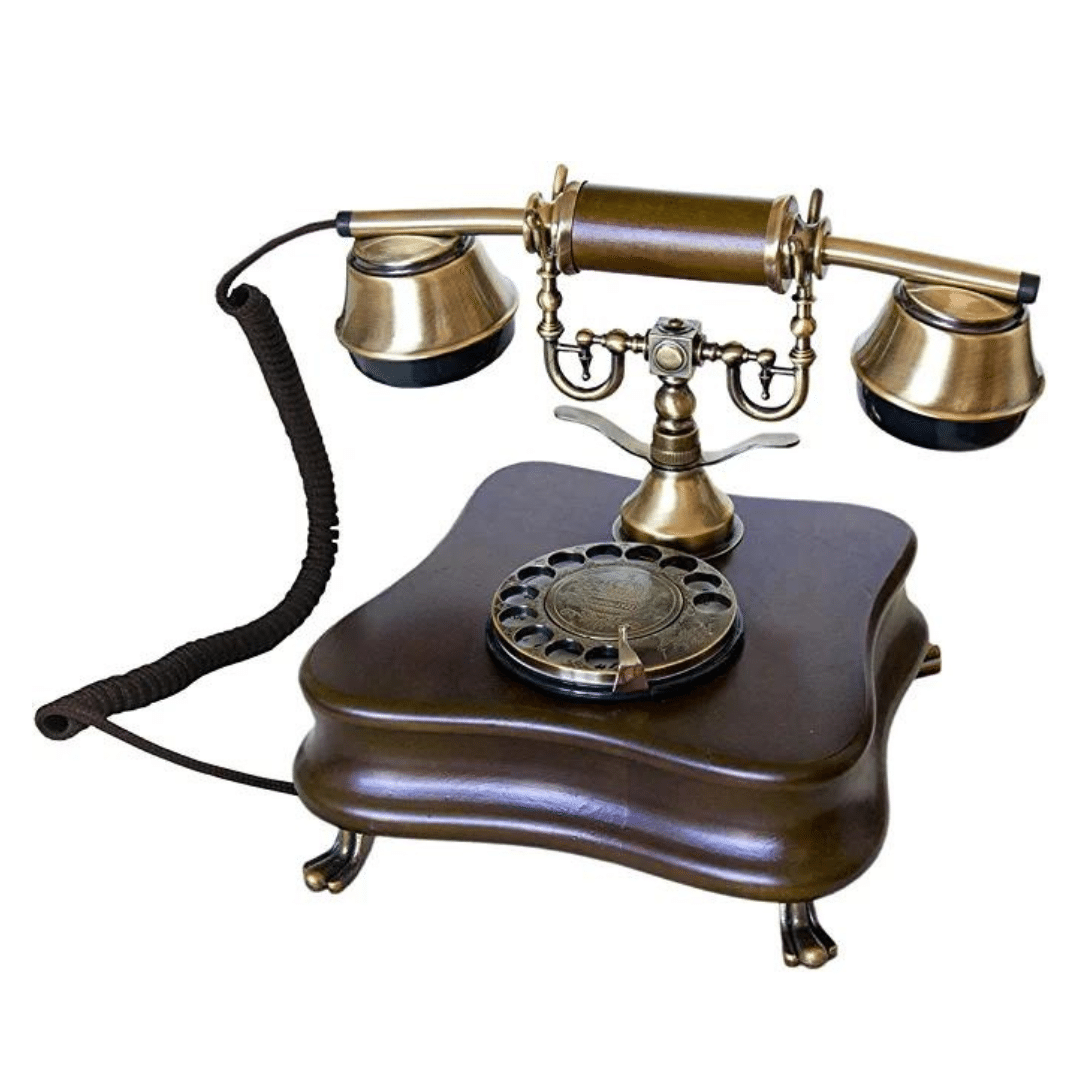
Candlestick Rotary Phone – $199
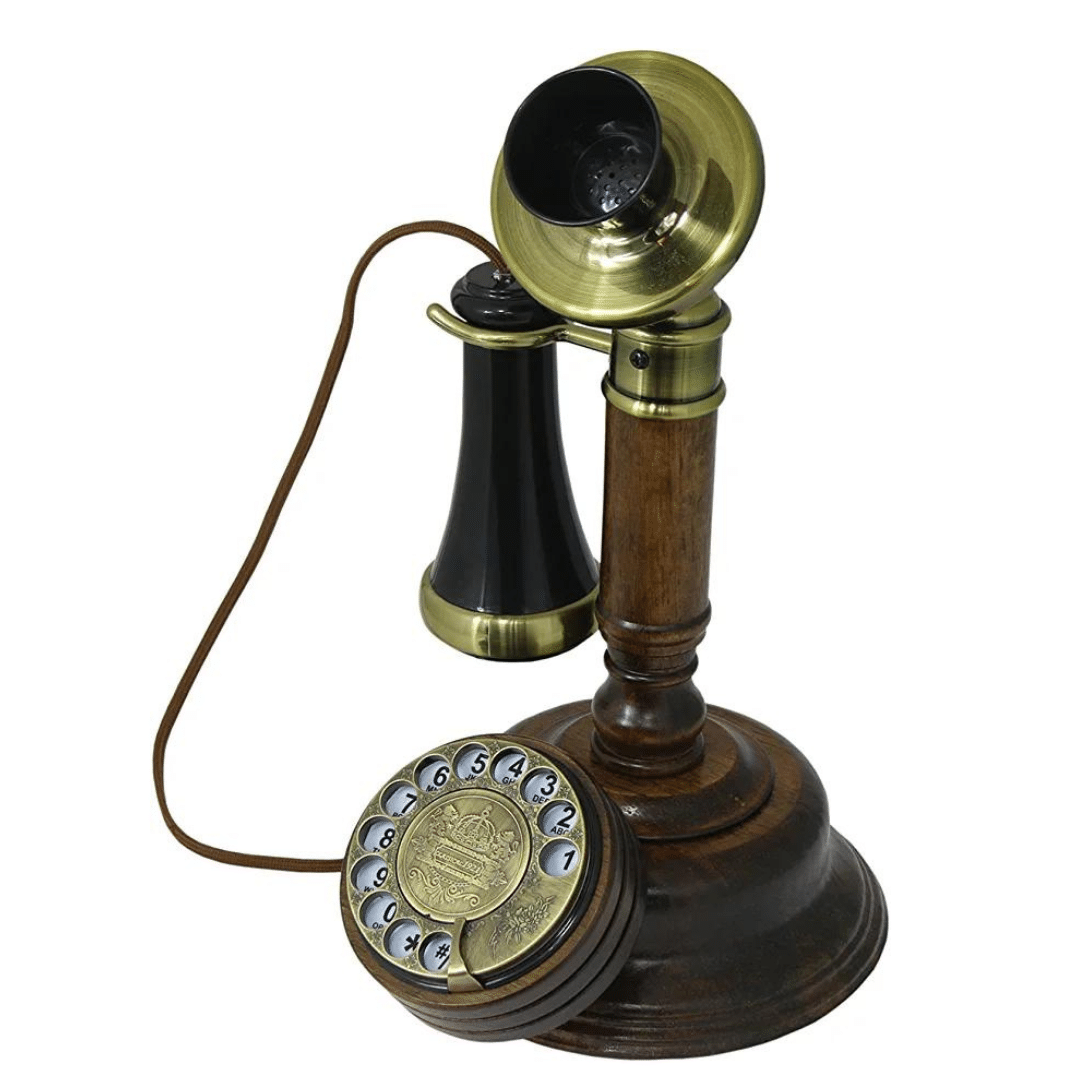
Country Junction Rotary Phone – $199
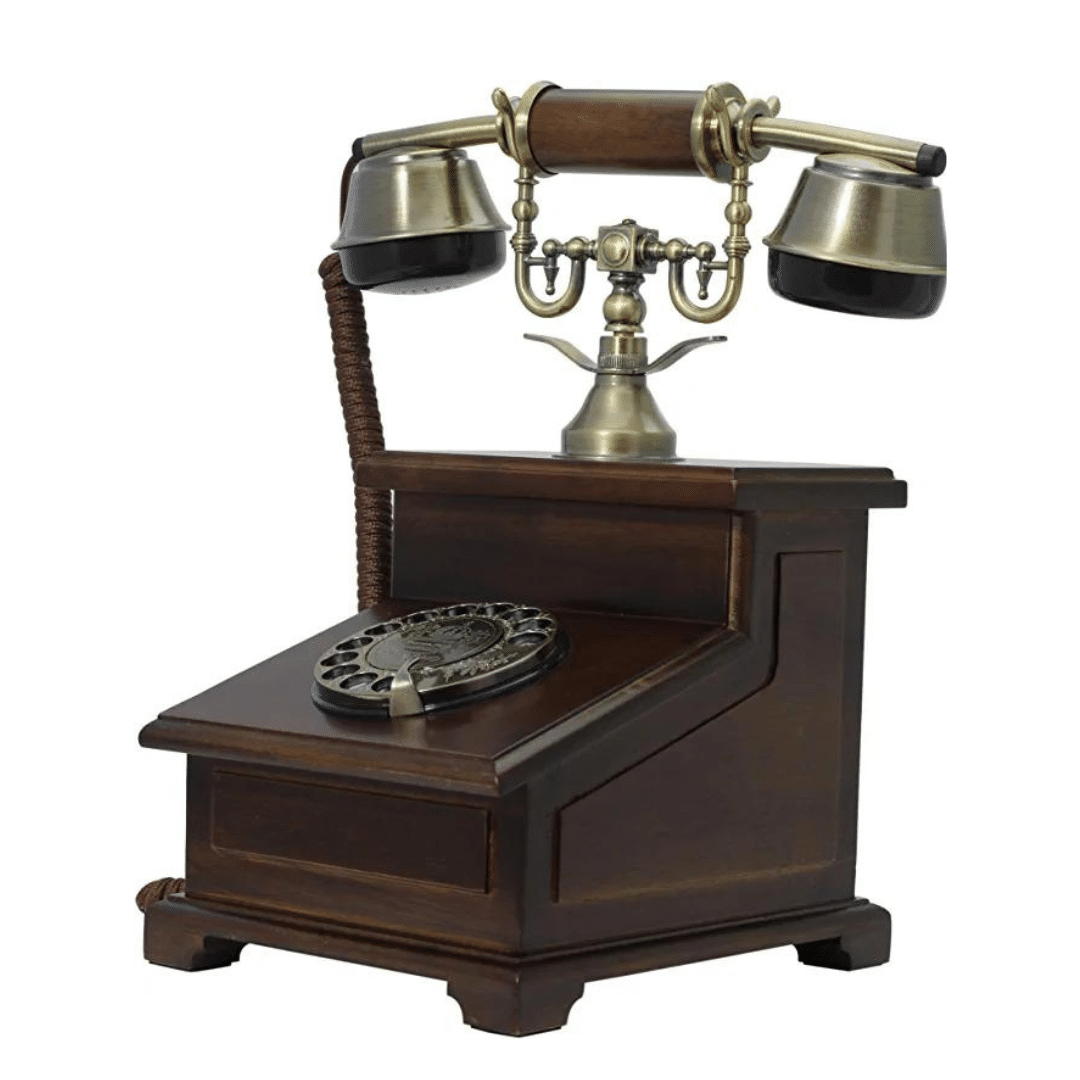
Victorian Rotary Phone – $199
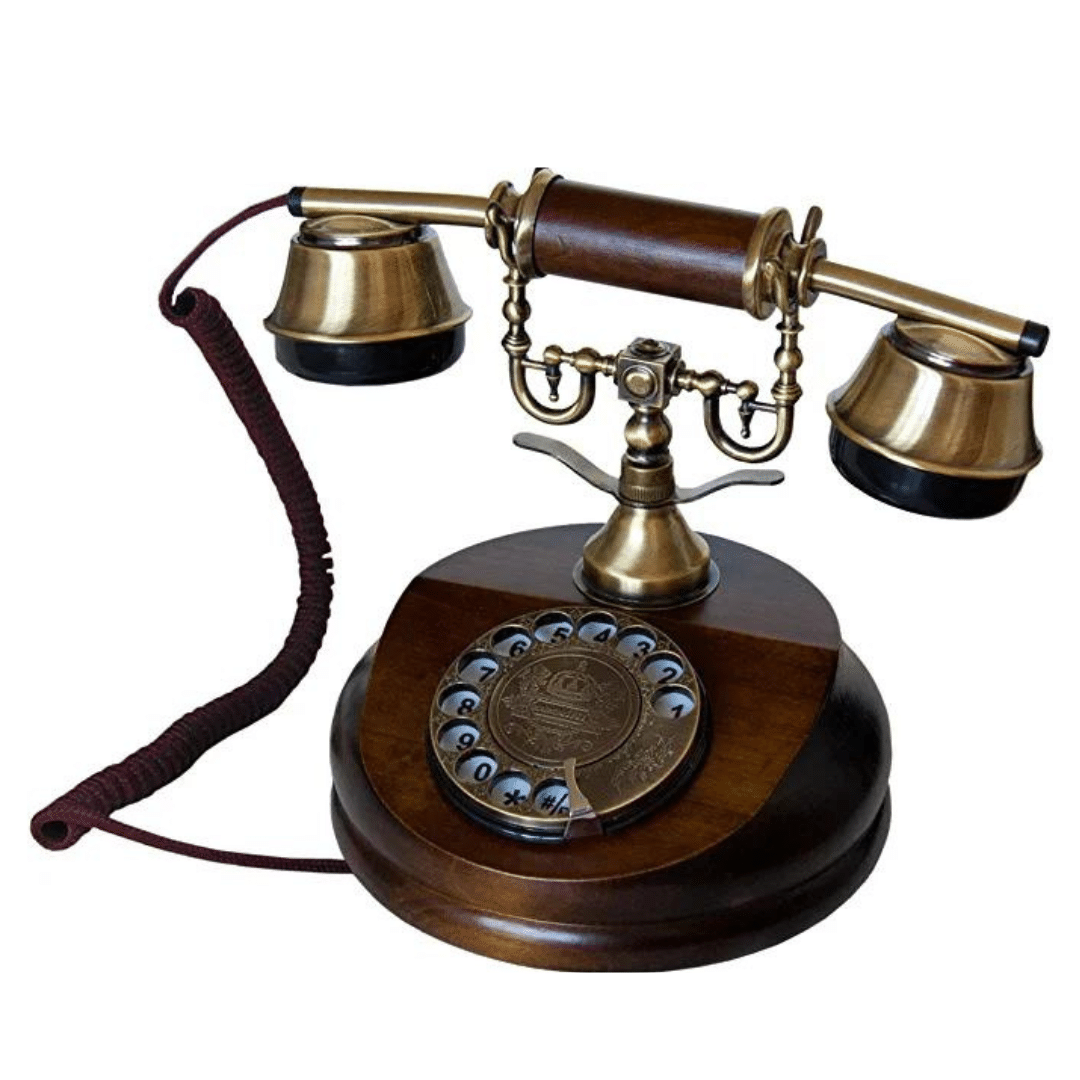
Rubbed Gold 1940’s Retro Phone – $199
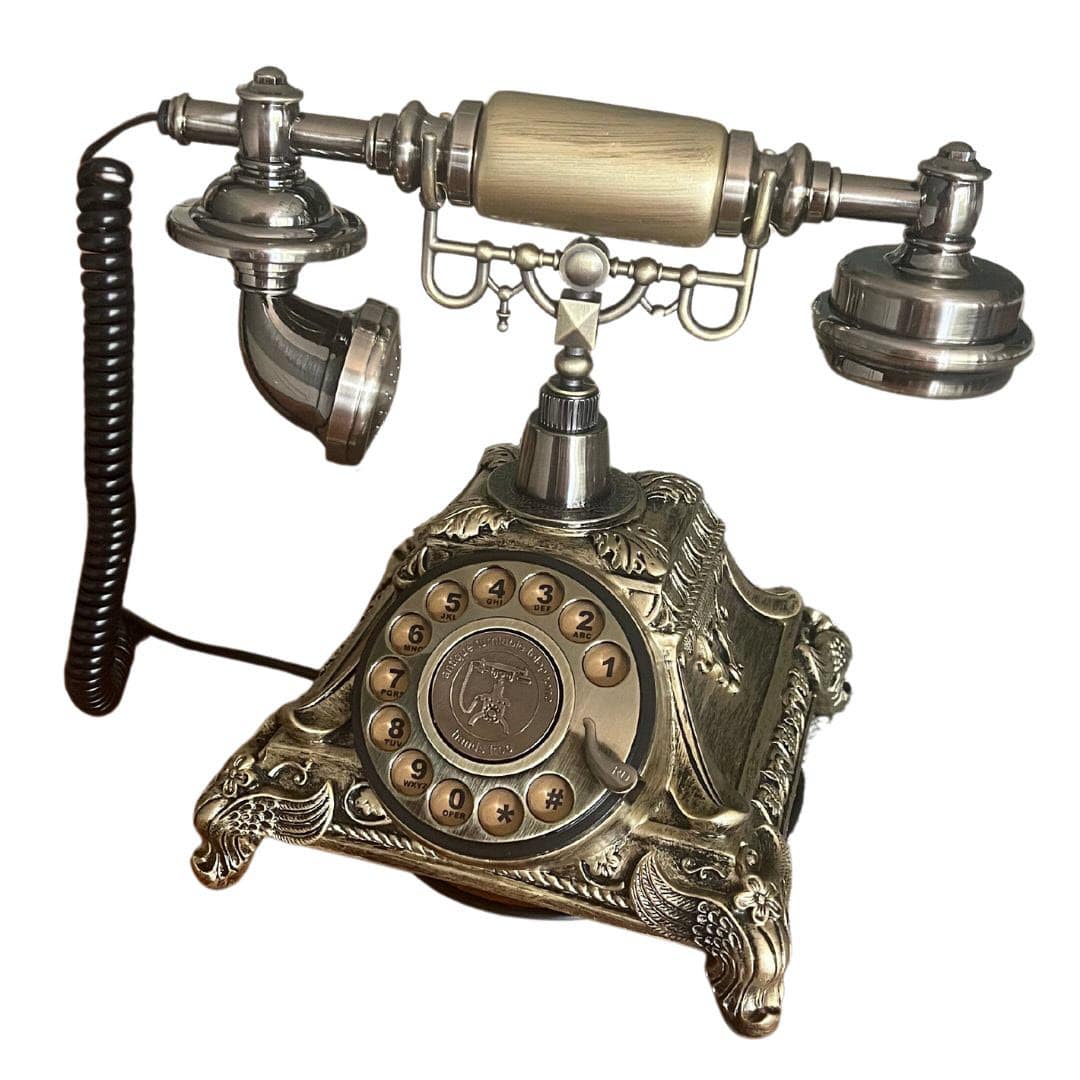
Black 1940’s Style Retro Phone – $149
Aqua Western Electric Rotary Phone – $149
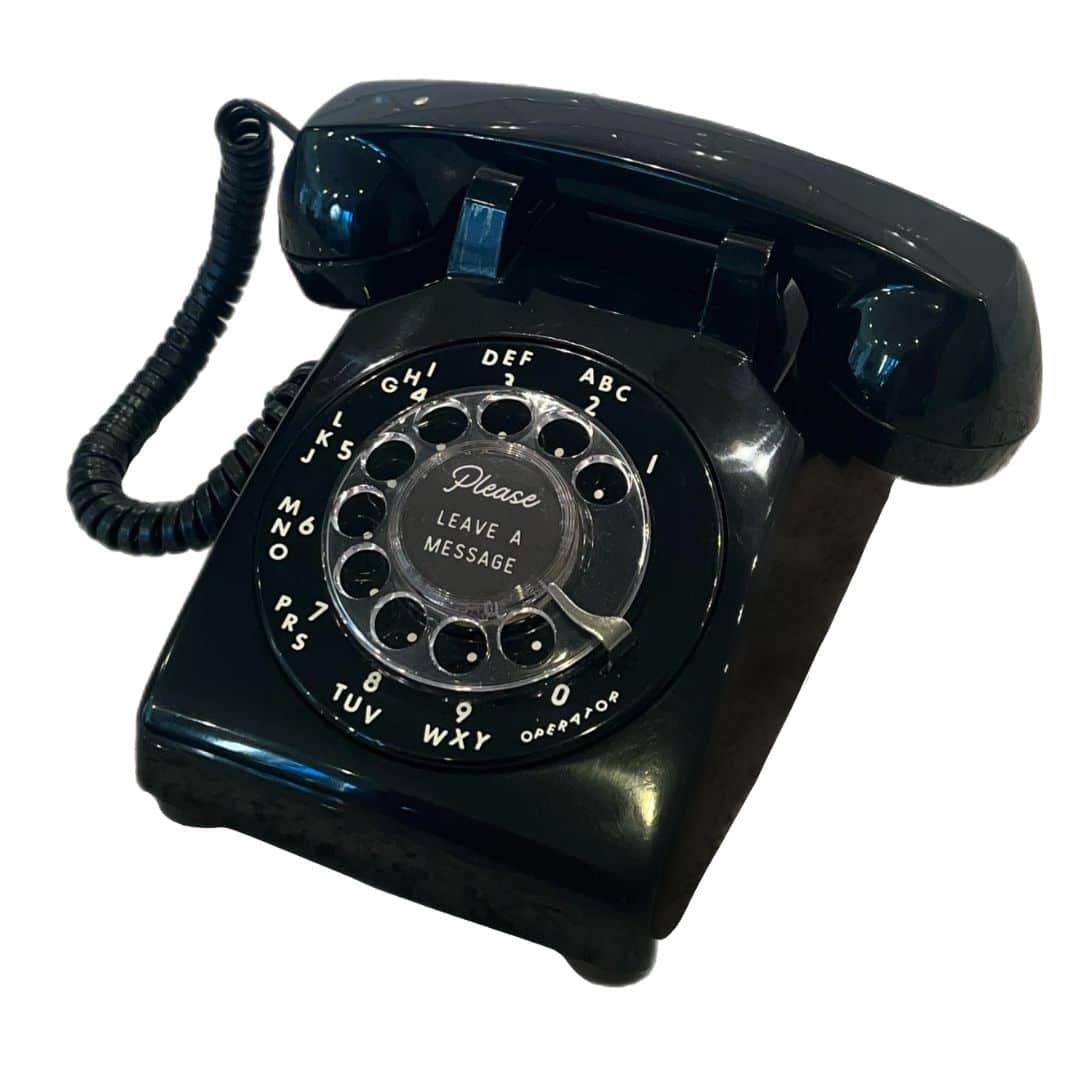
Black Western Electric Rotary Phone – $149
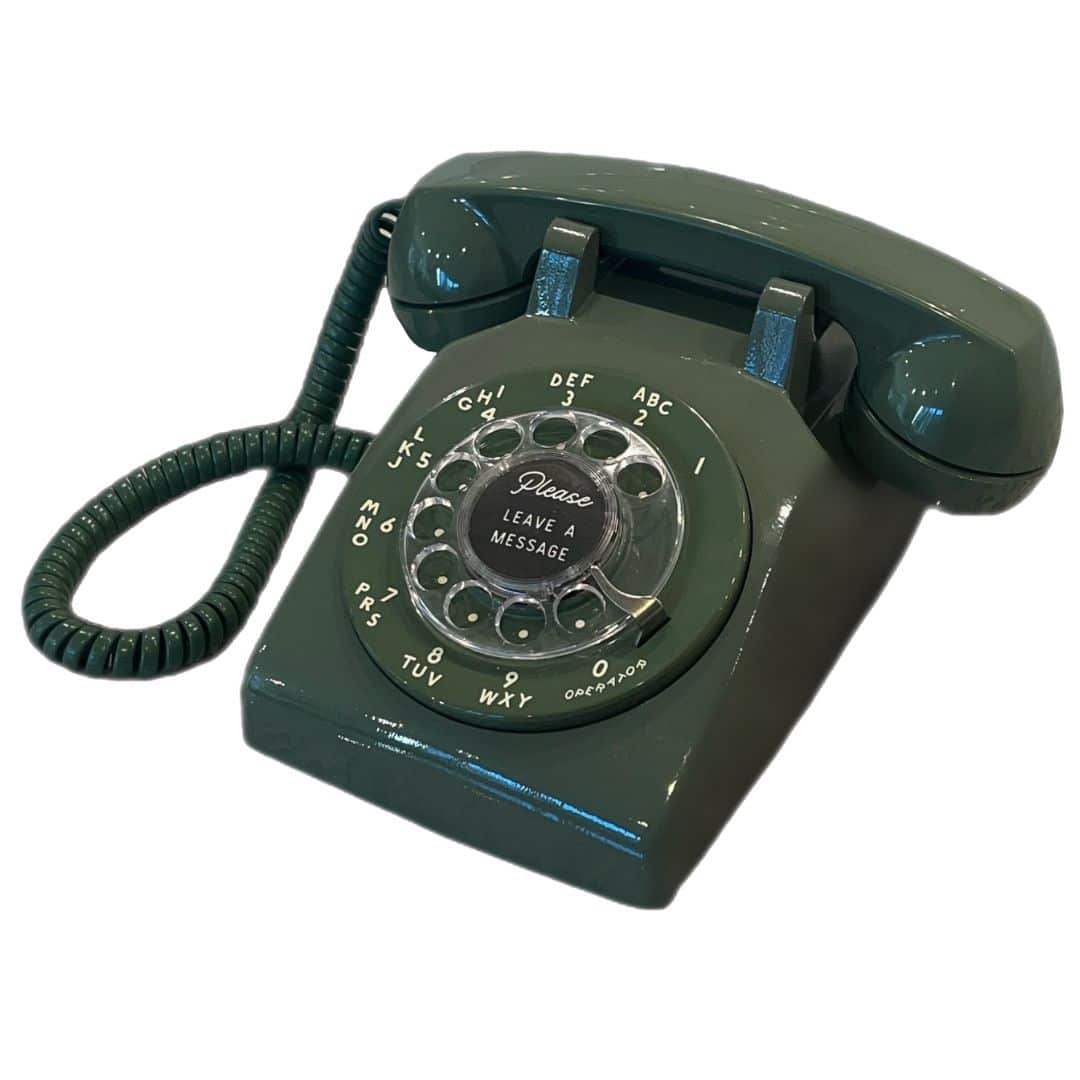
Green Western Electric Rotary Phone – $149
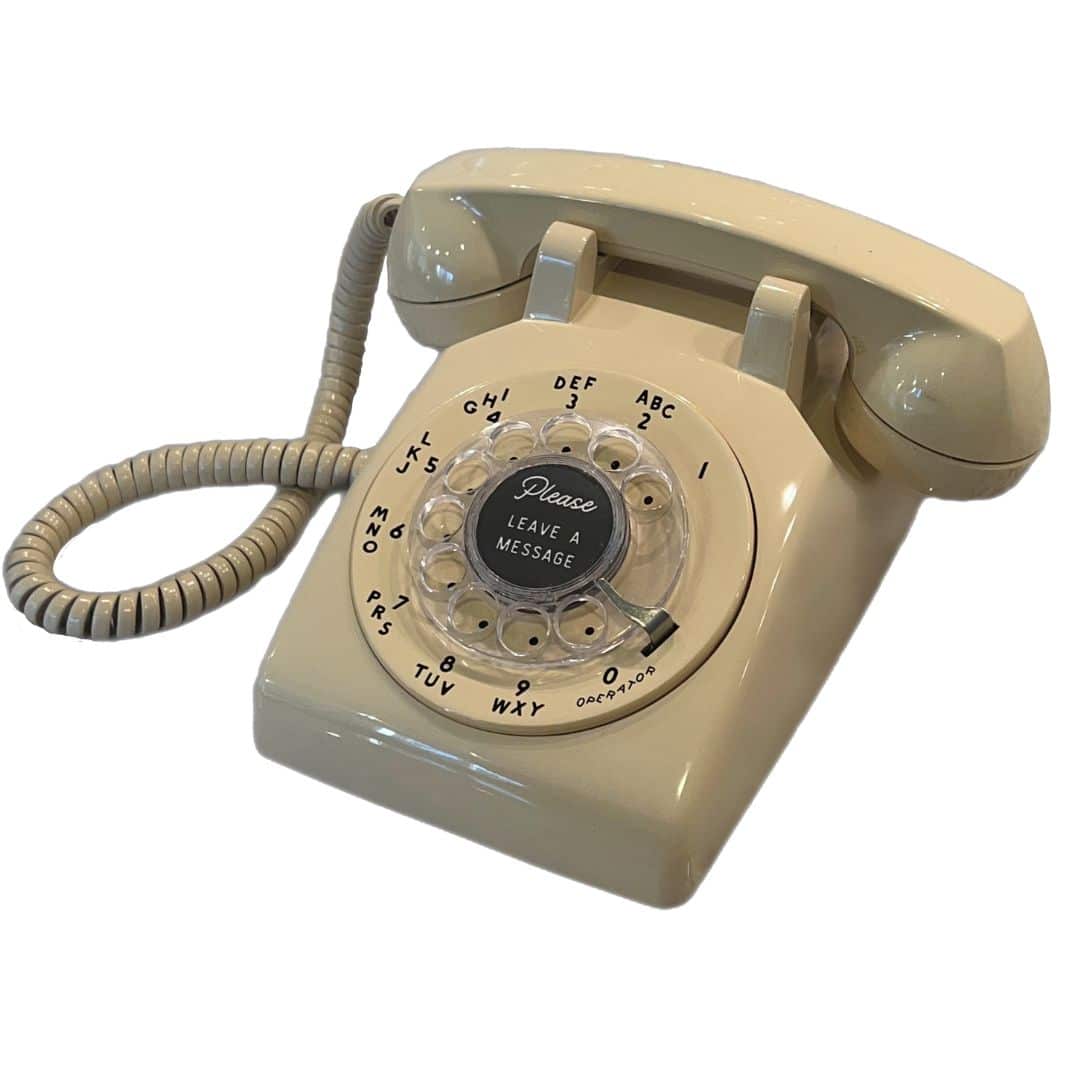
Ivory Western Electric Rotary Phone – $149
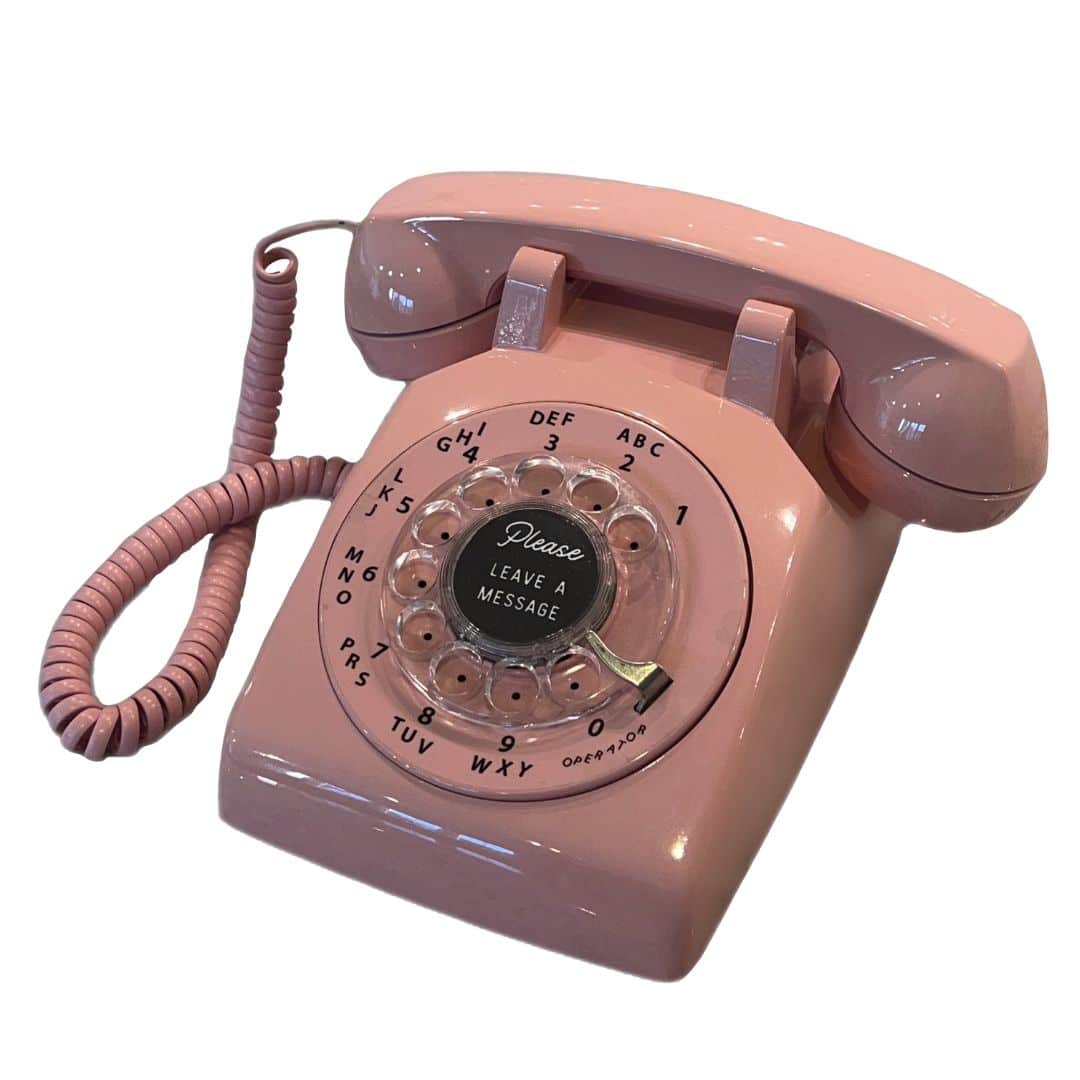
Pink Western Electric Rotary Phone – $149
Red Western Electric Rotary Phone – $149
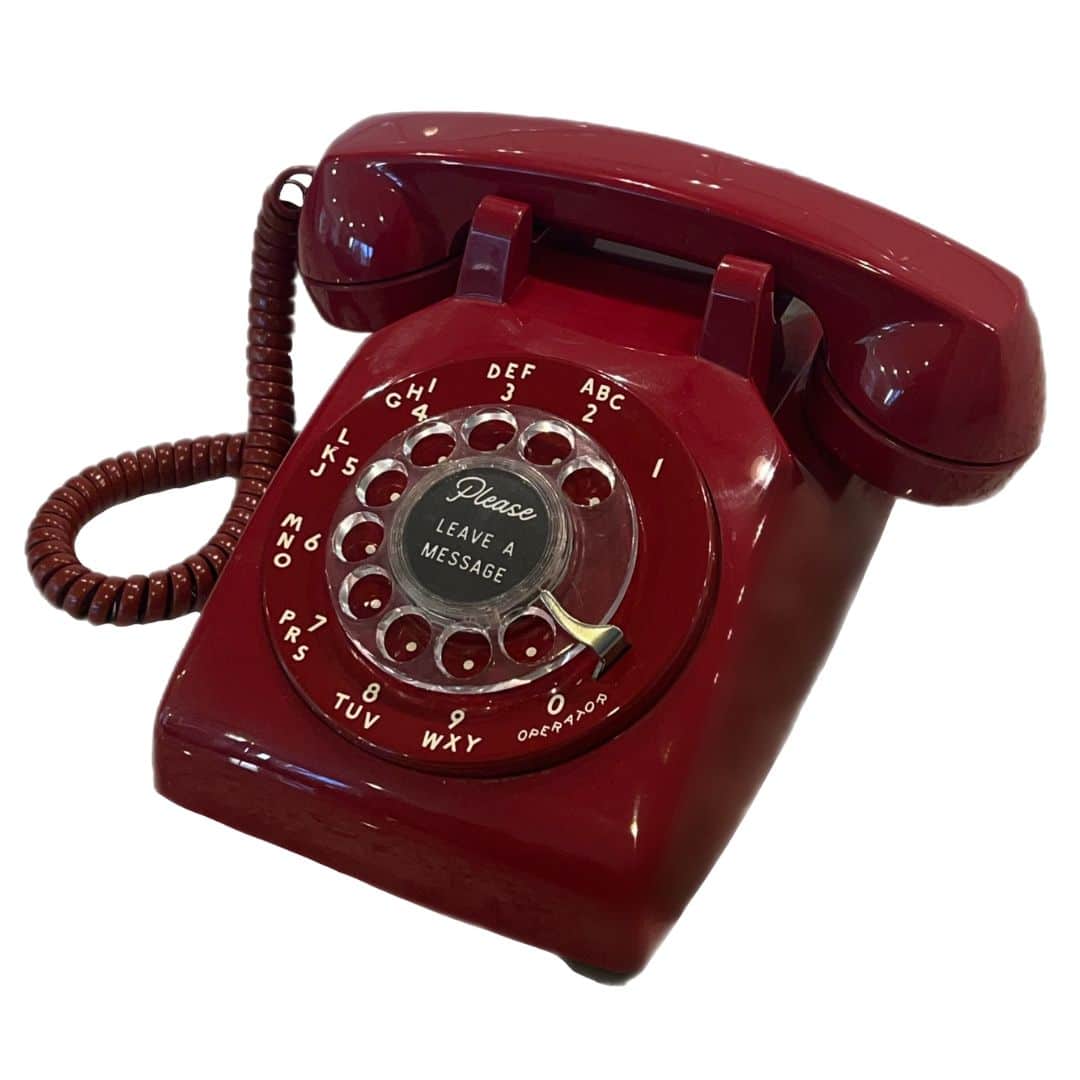
Turquoise Western Electric Rotary Phone – $149
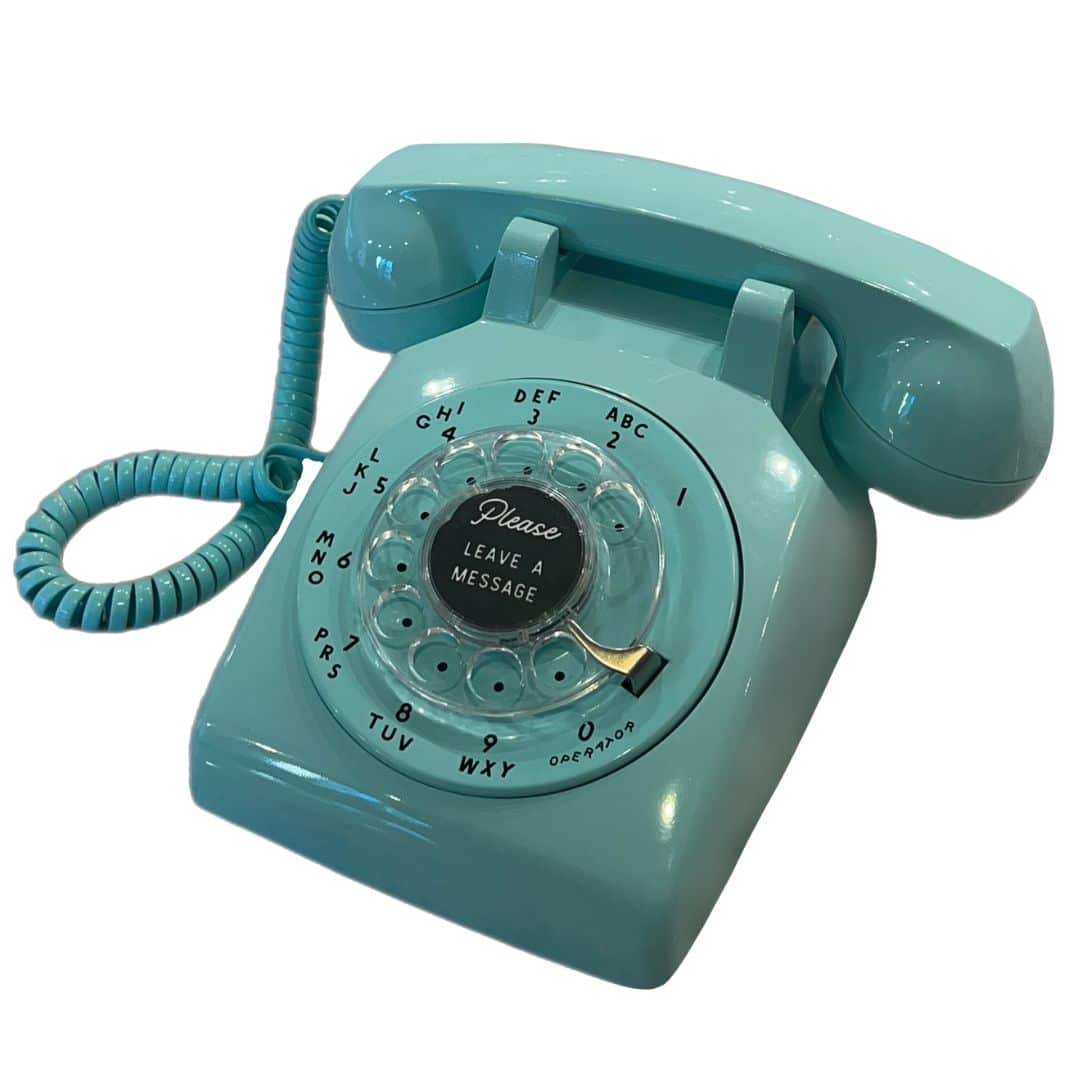
White Western Electric Rotary Phone – $149
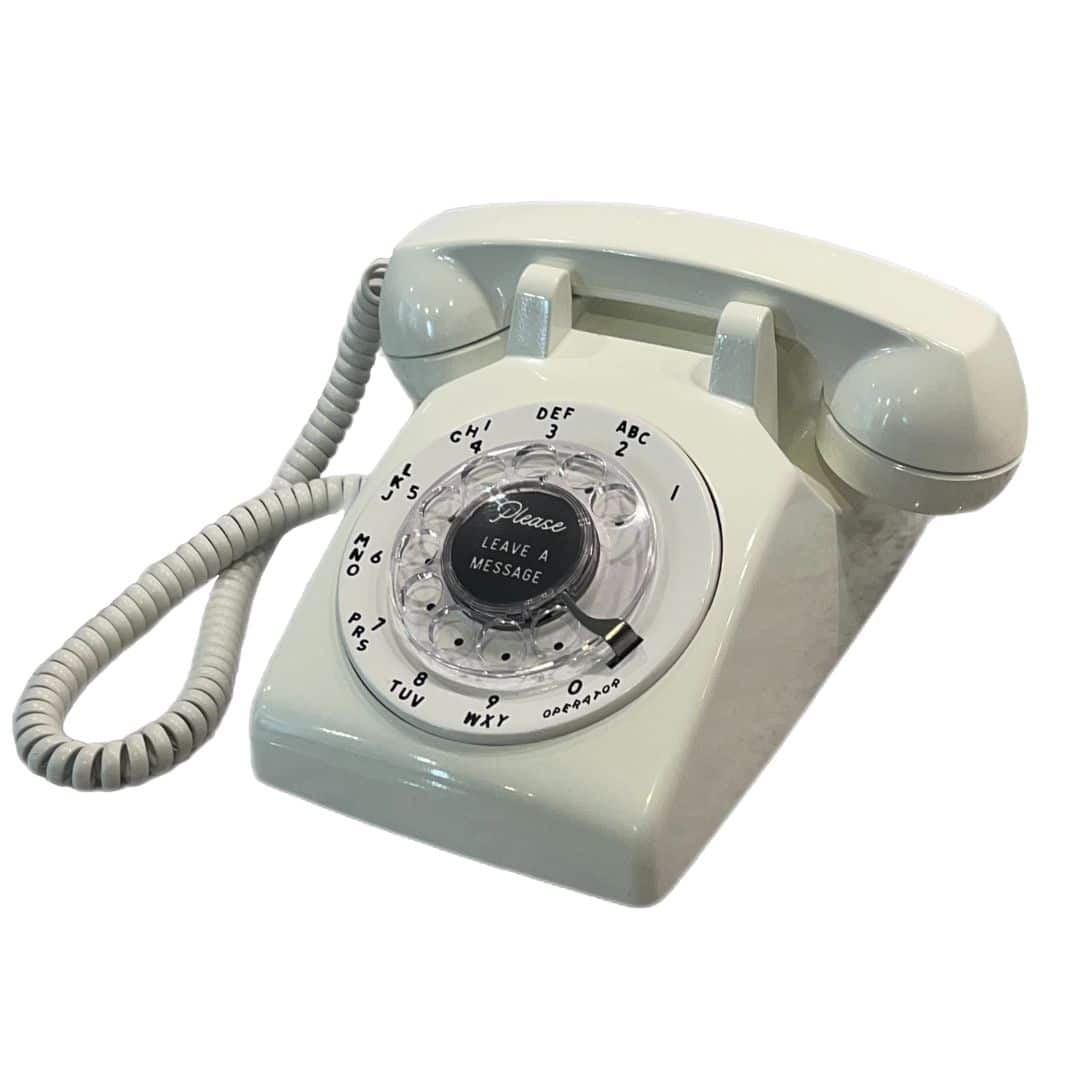
Orange Western Electric Rotary Phone – $149
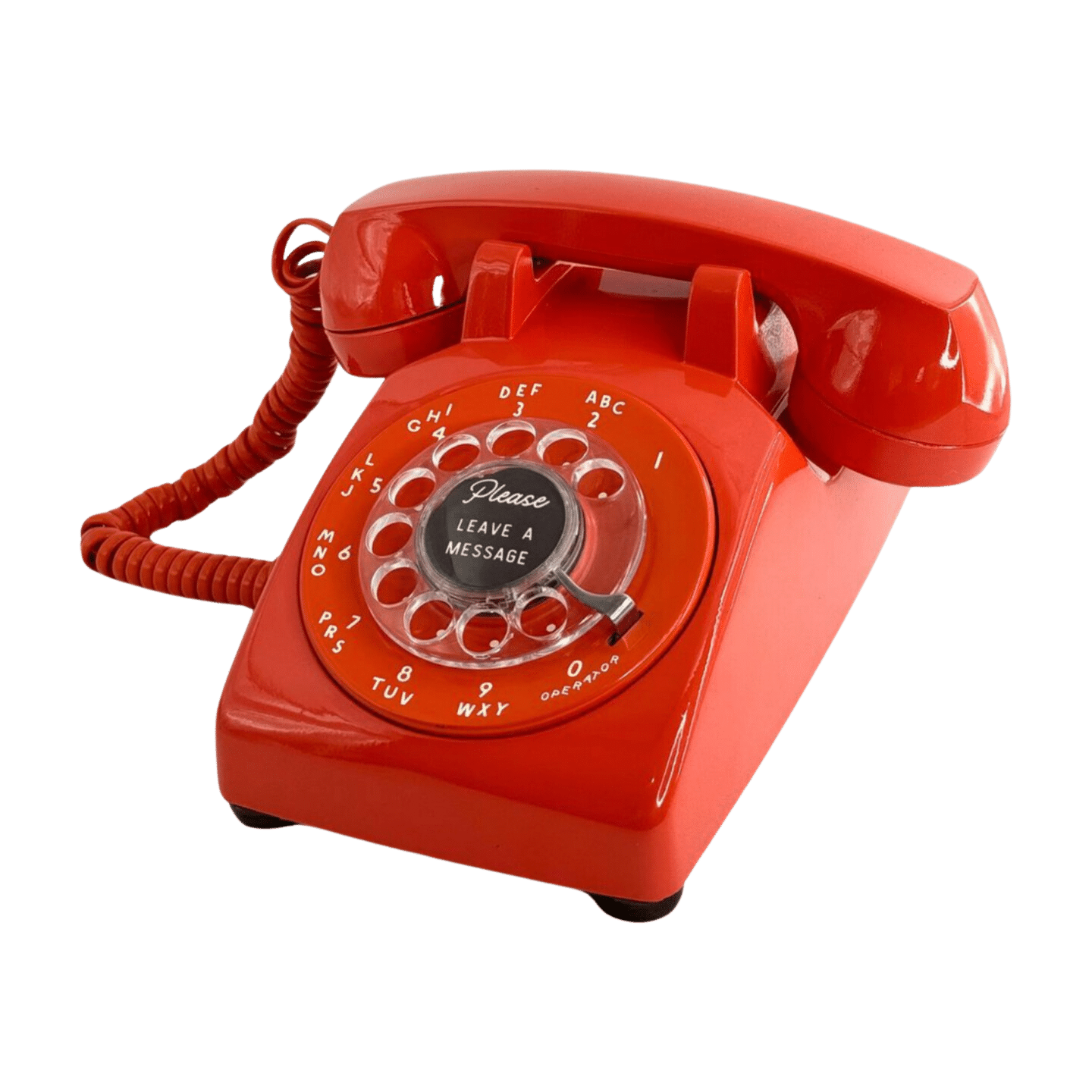
Yellow Western Electric Rotary Phone – $149
Whether people call in on the phone number, upload or email in their recordings, or use a vintage phone, all the recordings end up in your account and the LifeOnRecord service includes several digital keepsake options to preserve those recordings:
- Download your recordings individually – choosing just specific “tracks”.
- Download all the tracks as separate MP3 files, as a “ZIP” file.
- Download all the recordings stitched together as one “consolidated file”. The recordings will be in the sequence that you indicated on your “My Recordings” page.
- Stream the recordings from any smartphone, tablet, or computer. We provide you with a special link that can shared, and when the link is clicked, the recordings will automatically play one after another. People can also pick and choose which recordings to play.
Phoned-in recordings (not from a vintage phone) are also emailed to you as the recordings come in.
All the recordings are in MP3 file format, and we stamp the “title” of the recording with whatever title you provided on the “My Recordings” page. By default, for phoned-in recordings the title is taken from the “Caller ID” name. We also stamp the “track number” based on the how you sequence the recordings.
As part of the service, we archive your recordings into long-term storage after one year. If you ever lose your recordings, we can restore them for you.
The instructions are fairly straightforward. Guests will:
- Pick up the handset
- Hear your introductory greeting.
- Leave a message after the beep.
- Hang up the phone.
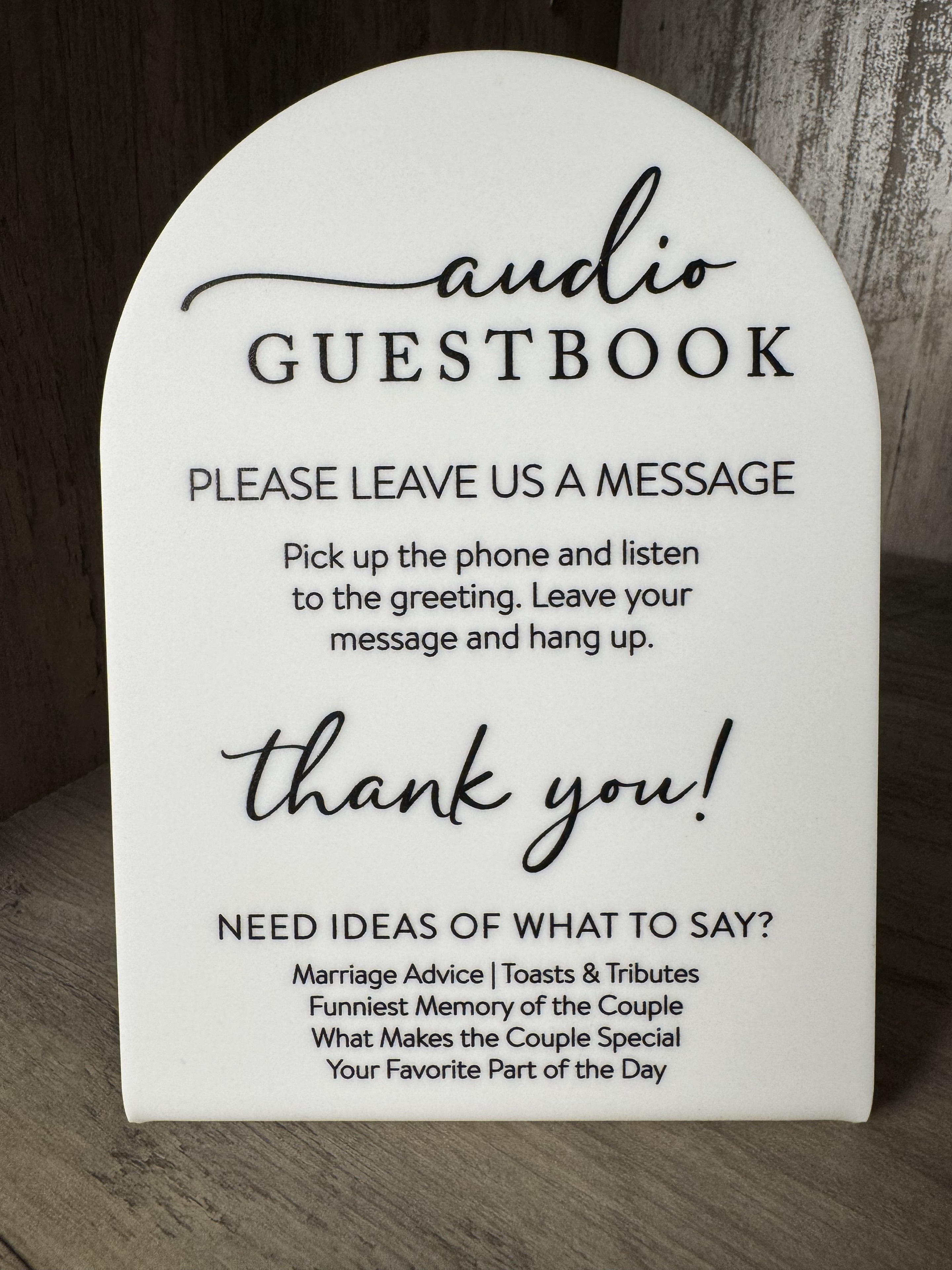
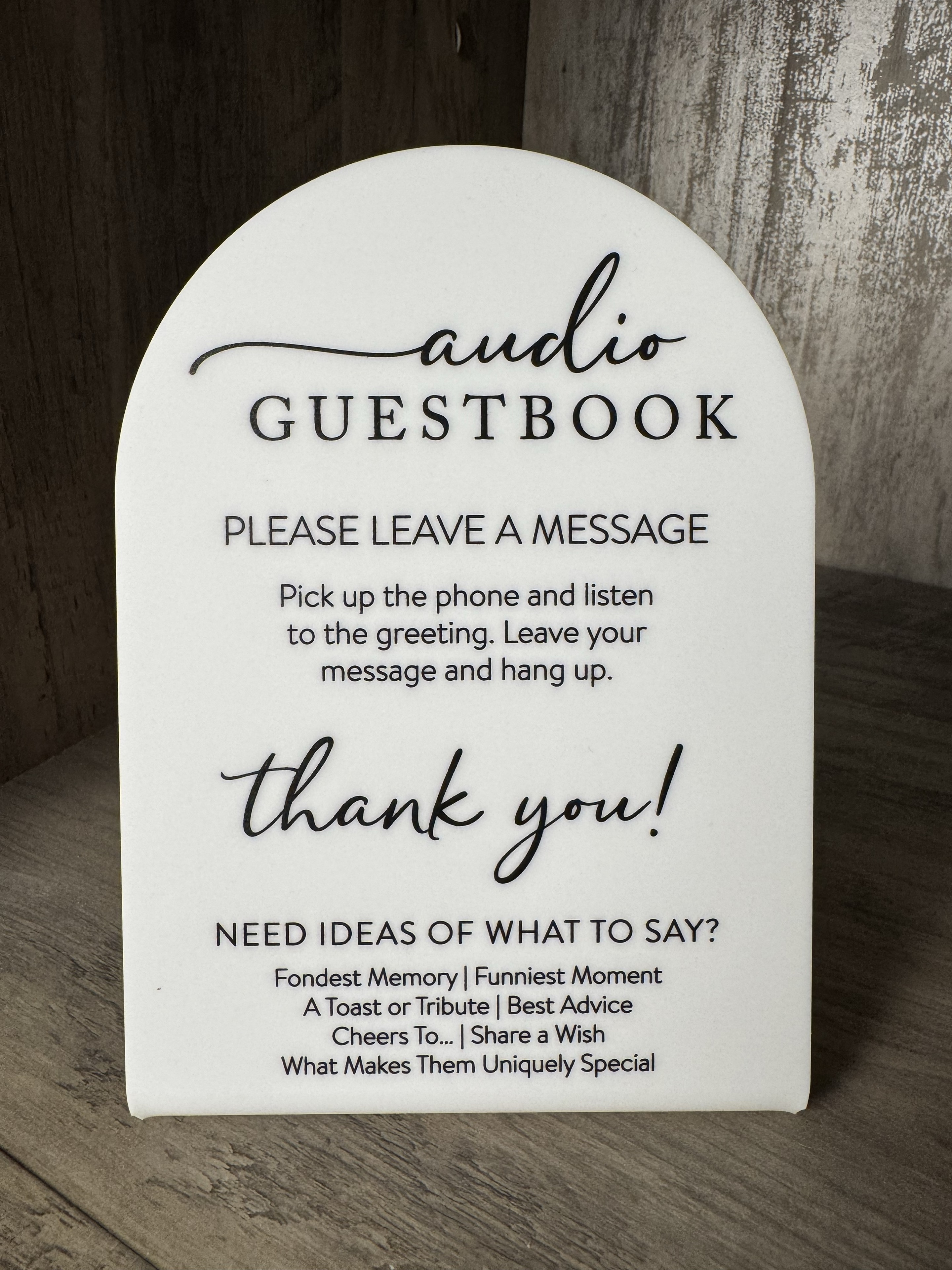
The $87 Communication Package includes personalized PDFs and QR codes, plus a physical instruction sign when you rent a phone. The photo previews below show the physical wedding and non-wedding signs. The downloadable designs are separate options for printing extra signs.
Otherwise, here are four different generic non-personalized, sign templates that will fit in either a 5×7 or 8×10 picture frame that you can use “as is” or for inspiration.


Preview the physical sign
A physical sign is included when you rent a phone and purchase the Communication Package.
The Communication Package includes a physical, non-personalized instruction sign with your phone rental. The photos below show that sign; the printable PDFs are separate options for extra signs.
Yes! Just log in to My Recordings and click Purchase Add-Ons. You can buy a Keepsake Speaker, a vinyl record, or both at any time.
Because nearly everyone ends up using it—and the results are priceless.
- 96 % of our phone renters call the number. Many couples think they’ll rely only on the in-person phone, but most guests still dial in before or after the event.
- Different vibe, deeper stories. Messages captured at the venue are fun and high-energy, yet they’re often quick and light. When guests phone in later—perhaps from a quiet room with notes in hand—they tend to share longer, more thoughtful memories and heartfelt wishes.
- A safety net for busy celebrations. Some people never make it to the phone on the big day, or they decide later that they have more to say. The dial-in line lets them contribute whenever inspiration strikes.
- Part of the core service, not an upsell. With LifeOnRecord the phone number is included automatically; the physical phone is just a popular add-on. You get both options without extra fees or hassle.
Including the dial-in number ensures you capture every voice—lively party chatter and intimate reflections alike.
Your introductory greeting is the message guests hear first, whether they call into your account or, if you added a physical phone, when they lift the handset.
We use one greeting for both experiences, so the same message plays in both places. Record or upload your greeting before we prepare and ship your phone so it arrives with your greeting already loaded. Loading it yourself with a computer is a last resort. Follow the post-shipment instructions. Updating the online greeting after shipment does not automatically update the physical phone.
Most people find it easiest to record the greeting by calling in. You can find those instructions in Step 1 here: https://lifeonrecord.com/accinfo/
Want to record the greeting with someone who is not with you, such as a fiancé(e)? You can do that with a 3-way call:
- Call the other person first.
- Add the LifeOnRecord number as the second call.
- Merge the calls.
- iPhone: While you are on the first call, tap More, then Add People. Call the LifeOnRecord number, then tap Merge. (Apple Support)
- Android: The exact wording varies a little by phone, but it is usually Add call, then call the LifeOnRecord number, then tap Merge or Call merge.
- Once the calls are merged, follow the same Step 1 call-in instructions to record your greeting together.
If you would rather upload a recording, you can do that here.
No worries! You can download another shipping label, or you can email one to yourself by clicking this link.
5) Tips for Coordinators
- Communicate the phone number in your save the date letters and invitations. Make sure to tell people to call in even if they can’t attend the event itself.
- Make sure you give people a deadline.
- You may want to communicate a “fake” deadline. You or someone else can monitor the web site to see who has called, and when the first deadline passes, gently remind people that they have another day or two.
- At the actual event, have someone make an announcement that the lines will “stay open” for the next few days, and people can call in again if they would like to share more stories about the event itself. You can also have place cards that remind people to call the number, or ask them to call the number again.
- If you are throwing an event where you don’t want people to bring presents, you can write in the invitation, “in lieu of gifts, please share your favorite story or memory with ____ by calling….”
When communicating deadlines, keep in mind that if you are having LifeOnRecord create a keepsake, we ship out keepsakes the next business day as long as the form is filled out by 3PM Central time, but the guest of honor can listen to their recordings over the internet at any time.
After you sign-up with LifeOnRecord, we will send you a personalized greeting based on the name of the recipient, the gender, the occasion, etc. The greeting will be similar to the one below. You can use the greeting “as is” or modify:
We’re putting together a keepsake for <Name> that contains stories and messages from family and friends to celebrate <Occasion>. Please share a quality, trait, or talent of his/hers that you admire, a favorite story or memory you have of <Name>, or why you think he/she is special. If you’d like some inspiration you can go to www.LifeOnRecord.com and click on the “callers tips” link in the top right of the page. You will have up to 30 minutes to leave your recording and you can call as often as you want.
If you like, you can also be very specific with your callers and tell them the kind of message you want them to leave. Some examples are:
Weddings & Anniversaries
- “We’d like you to share your favorite story about the couple.
- “What do you think the couple will be doing in 10, 20, and 30 years from now.”
- “Is there a song that you think the couple reminds you of?
Birthdays, Graduations, Mitzvah’s
- “What was your most memorable moment with <Name> over the past year.”
- (Reunion) “What is your favorite story of your time at high school/College?”
- “What private joke or song do the two of you share?”
- “What did <Name?> do in the past that most impressed you.”
- “For his Bar Mitzvah, please tell name what you think it means to be a man in the Jewish tradition.”
- “What do you think is the favorite quality of name and why do you value that?
Baby Shower, New Baby, 100 Wishes
- Please tell <Parents> your favorite parenting care advice”.
- “What is your wish for the new baby”?
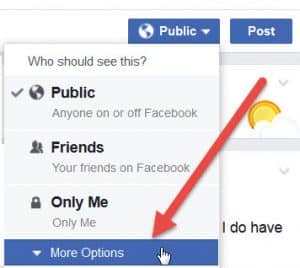
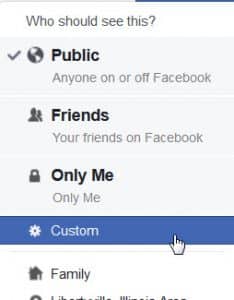
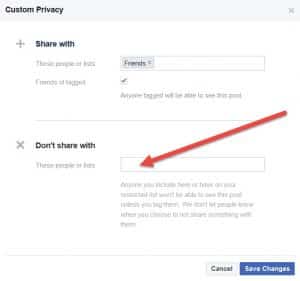
Facebook is a great way of spreading the word to callers, but LifeOnRecord is usually given as a surprise, so how do you post on Facebook without the recipient (your Facebook friend) seeing the post? It’s easy:
- On the post click the “Public” button and choose “More Options”.

- Choose “Custom”.

- In the box that comes up, under “Don’t share with”, type in the recipient’s name.

The 5×7 sign (which is sent with a physical phone) and QR Code are available with the $87 Communication Package which also includes personalized PDF signage that has the recipient(s) or couple’s name and the QR code as part of the signage.
If you’d like to add the Communication Package to your account, you can click the “Purchase Add-Ons” button in the “Your keepsakes” section of My Recordings.
Alternatively, if you don’t purchase the Communications Package, you can choose from four phone-only, non-personalized designs in 5 x 7 or 8 x 10 inch sizes below.
Here are some Canva templates you can copy and modify:
https://www.canva.com/design/DAGn_ZjYvNo/n1_abLDUi0WMy9UrfiiTTQ/view?utm_content=DAGn_ZjYvNo&utm_campaign=designshare&utm_medium=link&utm_source=publishsharelink&mode=preview
Preview the physical sign
A physical sign is included when you rent a phone and purchase the Communication Package.
The Communication Package includes a physical, non-personalized instruction sign with your phone rental. The photos below show that sign; the printable PDFs are separate options for extra signs.
6) Account & Access
We know that you want this be convenient for your callers, and you are concerned about anyone soliciting them.
We do not call, postal mail, or email your callers
We do not sell or give your information to other companies, except in direct connection with supplying the LifeOnRecord service (e.g. we need to pass your payment information to our credit card processor). Nobody connected with LifeOnRecord will solicit you, or sell or give away your email addresses.
7) General
LifeOnRecord is available from every country on the planet, and you have many ways to contribute recordings.
Callers from the US, Canada, and the Caribbean can call toll-free: 1-800-437-3009.
If you are outside of those countries, or if you prefer not to call, use one of the options below to contribute a recording. In most cases, recordings are processed and placed into the recipient’s account within 10 minutes.
-
Send us a recording directly from WhatsApp
Visit https://lifeonrecord.com/whatsapp/ (best from a mobile device with WhatsApp installed). Enter the invitation number, then WhatsApp will open with a pre-filled message. Send that message first, then record and send your voice note. Your recording may take up to 10 minutes to be processed and included in the recipient’s account. -
Record on your computer, smart phone, or tablet and email us the recording(s)
Use the voice recorder on your iPhone, Android, or other device and email us the recording(s). We accept all major recording formats, and we will automatically convert the file and place it into the recipient’s account. Email the recording(s) to recordings@lifeonrecord.com.Important: You must type your invitation number in the email subject line with nothing else (for example: 12345). Do not include any other words or symbols in the subject line. Attach the file and press send. You will receive an email confirmation within about 15 minutes.
-
Upload your recording(s) to our web site
Visit the Recording Contribution page, enter your invitation number, enter a title for the recording (optional), and upload your recording. -
Use one of our “local” global numbers
Callers can dial one of the local country phone numbers listed below, which route directly to LifeOnRecord.Country If you were asked to call and leave a recording Argentina +54 351 568 5712 Australia +61 2 8880 0488 Austria +43 72 096 3914 Belgium +32 78 48 03 46 Brazil +55 (21) 4040-4374 Canada 1 (800) 437-3009 Caribbean 1 (800) 437-3009 Chile +56 32 314 0886 Czech Republic +420 226 258 126 Denmark +45 78 77 43 10 Ireland +353 (76) 604 2714 Israel +972 (2) 560 9388 Mexico +52 (55) 4170 8548 Netherlands +31 20 894 25 34 New Zealand +64 9 951 5828 Norway +47 21 98 88 46 Peru +511 641 9276 Poland +48 22 490 69 02 Romania +40 (31) 810 77 18 Spain +34 931 770 598 South Africa +27 (10) 5001858 Sweden +46 8-121 111 38 Switzerland +41 22 508 71 56 United Kingdom +44 20 3582 4356 United States 1 (800) 437-3009 -
Call us long distance
You can call us long distance at 847-943-2021 from your country. Please note that unlike the options above, this is not a free option and your local phone company may charge long-distance fees. Although we are not affiliated, this site provides guidance on how to dial from one country to another:
https://www.howtocallabroad.com/
Admit it. You are harder on yourself than you are on other people. Most people are like that.
We focus on our failures or the things we don’t do well or struggle with, and forget how other people see us.
Why do people love LifeOnRecord? It reminds them why others appreciate them, and lets them see their lives through a loved ones eyes.
Wouldn’t you enjoy listening to recording after recording of people telling you how great you are, and their favorite memories of you? But the benefits go beyond being a terrific affirmation keepsake.
Benefits For Friends & Family of the Recipient
- Friends and Family like using it – People want to convey their well-wishes and LifeOnRecord gives them a simple and easy way to do that, and they feel honored to be asked.
- It’s simple – Your guests just dial a phone and talk!
- It’s fast and convenient – Many people are more likely to tell a meaningful story than write one in a scrapbook or card.
- Contribute from anywhere, anytime – Callers phone in at their convenience, whether that’s at 2PM or 2AM, and it’s perfect for those that can’t physically be there.
Benefits for the coordinator (if you’re giving this as a gift):
- It’s easy to keep the surprise – LifeOnRecord makes it easy for people to collaborate and call in without the guest of honor suspecting a thing.
- Flexible. You can give the gift of stories and well-wishes by having the recipient listen to them on their smartphone, tablet or computer, and you can also order a special keepsake speaker that has a memory card inside with all the recordings.
- A back-to-basics present – Who needs another knick knack to clutter things up? LifeOnRecord is a great way of letting the guest of honor know how much people care for them. LifeOnRecord lets people express emotion, thoughts, and feelings that might otherwise go unsaid.
Benefits for the wedding couple:
- It’s a way to preserve people talking about your marriage – You’ll have photos and maybe even video to help you remember your wedding day but LifeOnRecord lets people talk about you and your new life together.
- You have control. Whether people used the vintage phone, or called in on their own phones, you have control over the recordings. Don’t want the last thing your drunk uncle said to end up on the keepsake? No problem – you can use our online tools to delete that last inappropriate comment.
- Will last beyond the wedding – You’re not going to use the special wedding socks you bought for your wedding, and the flowers will be a happy memory, but in future anniversaries you can re-play your recordings and re-live what people thought of you in that moment of time.